Iris Release Notes — June 11th, 2026
Last updated: June 12, 2026
GovSpend Opportunities
A new Opportunities section surfaces relevant government bid opportunities pulled directly from GovSpend. Each opportunity includes a relevance score and an AI-generated company summary so you can quickly assess fit. From there, you can kick off a new project with one click directly from the bid document — no copy-pasting required.
Note: This feature is not enabled by default — contact your CSM to get access.
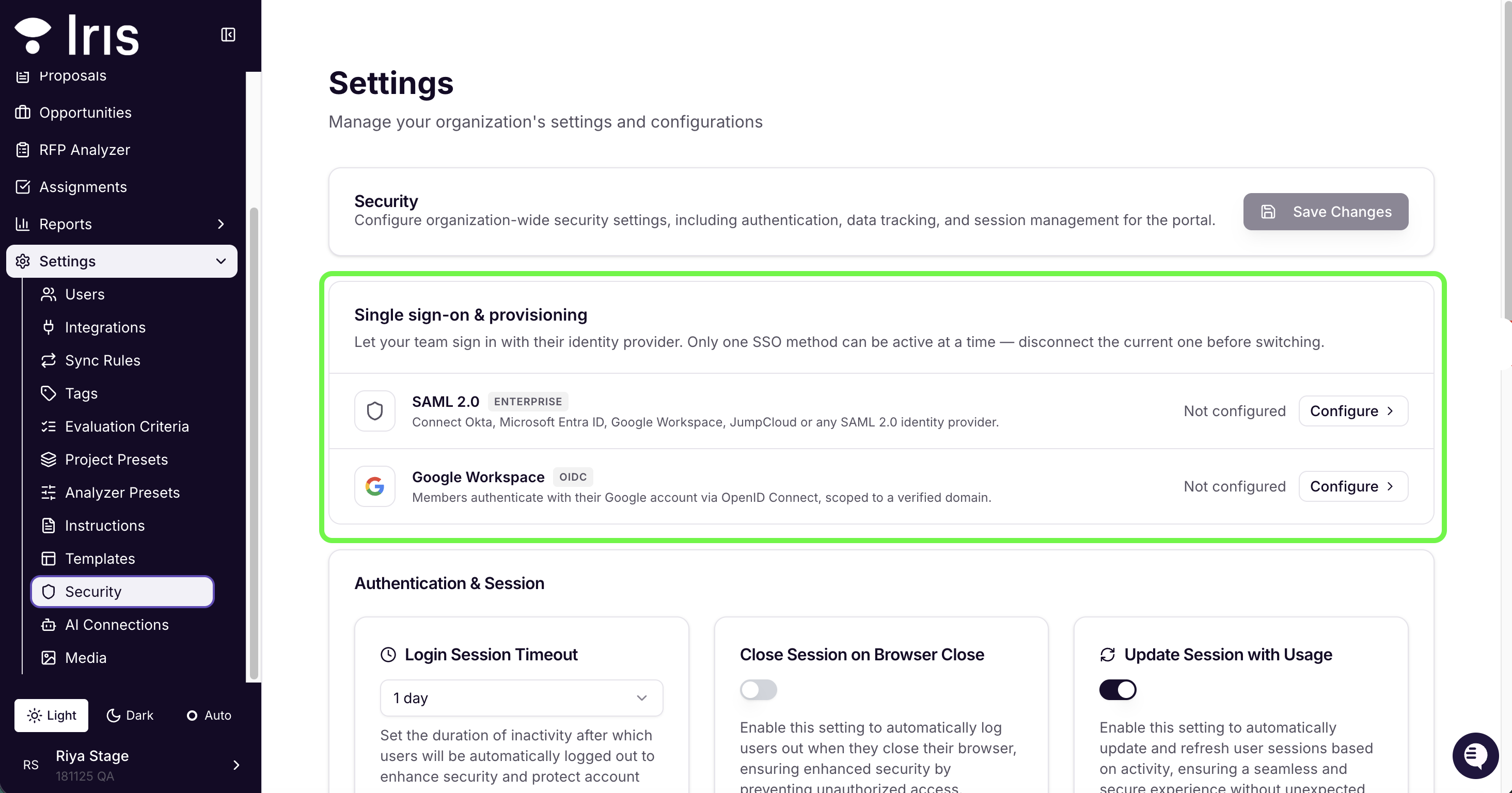
Google Sign-In
Organizations can now configure Google Sign-In via OIDC directly from Security settings. This can now be set up instead of SAML connection. Only one SSO method can be active at a time.
Magic Rewrite
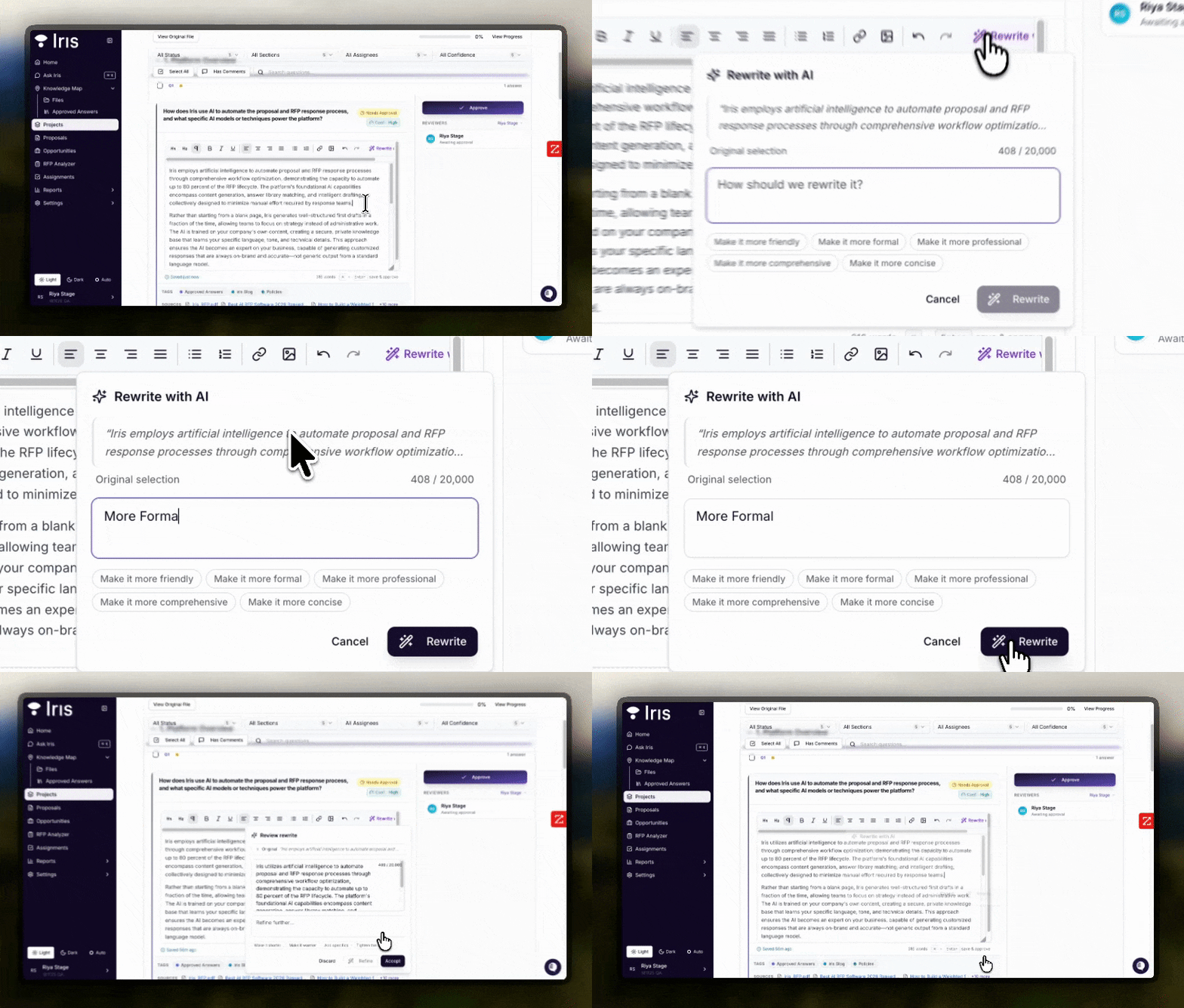
An AI-powered rewrite popover is now available on any project answer.
Select the text you want to change, choose a rewrite style, and the answer updates in place — without navigating away from the question card. Useful for adjusting tone, condensing a long answer, or rephrasing for a specific audience.
AI Extraction for the Chrome Extension
The Chrome Extension now uses a new agentic extraction endpoint to pull questions out of web portals.
It preserves the full structure of the original form — including dropdown options and nested subfields — so what gets imported into Iris reflects exactly what the portal is asking.
Answer Library Word-Boundary Filters
Two new filter operators — "contains text" and "contains word" — are now available in the Answer Library.
The "contains word" filter respects word boundaries, so searching for "AI" will only return entries where "AI" appears as a standalone term, not as part of words like "email" or "detail."
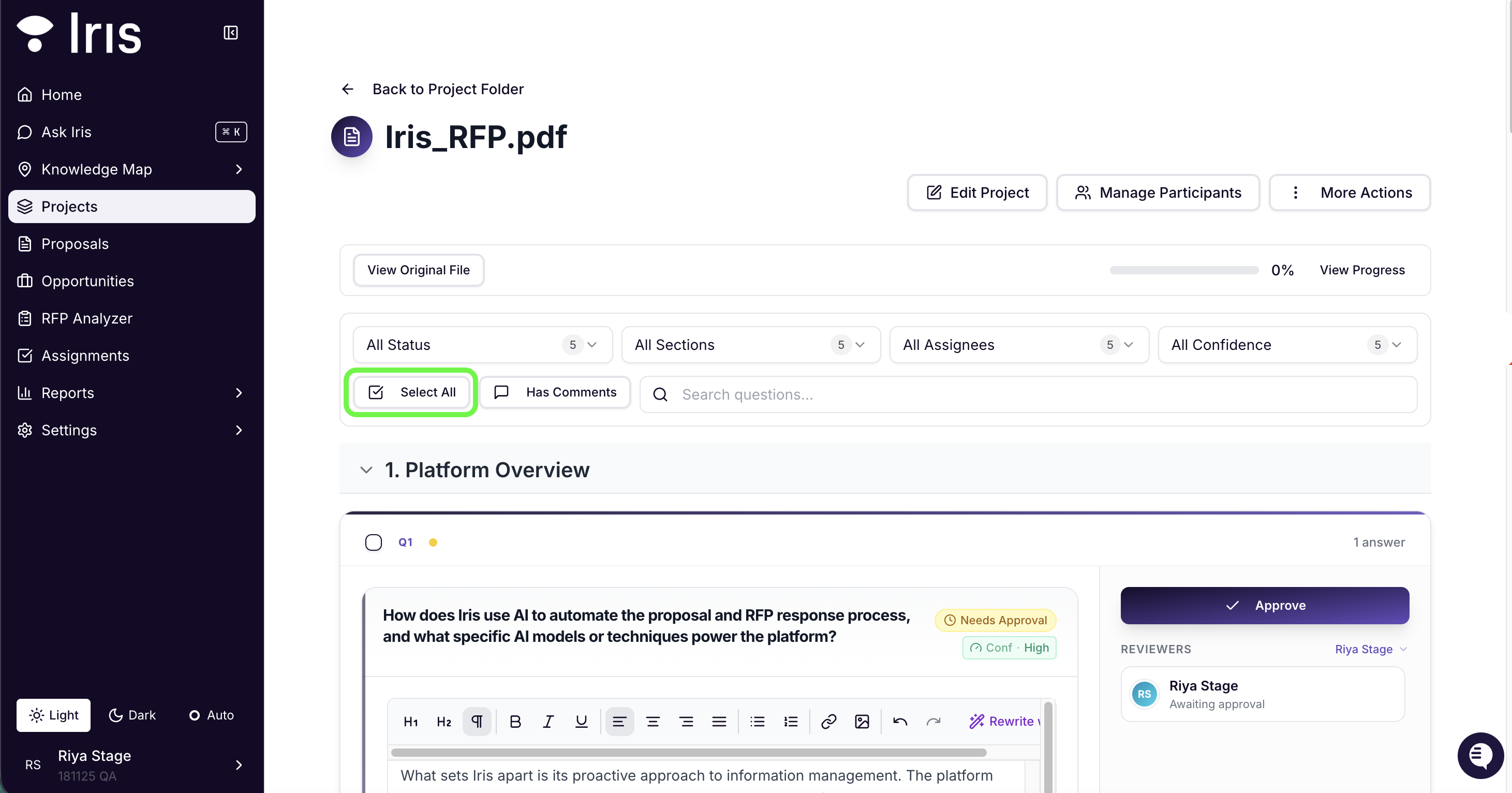
Select / Unselect All Questions
The project review filters bar now includes select-all and unselect-all controls. You can also select only the questions currently shown under an active filter, making it easier to take bulk actions on a specific subset of questions.
PDF Viewer Text Search
The document PDF viewer now supports full text search within source files.
You can search directly inside any attached PDF without leaving the review screen, making it easier to locate specific content when reviewing citations or verifying answers.
Knowledge Map Tag Truncation
Long tag lists on the Knowledge Map are now truncated by default, with a "+N more" expander on each row. There's also an "Expand All Tags" column control if you want to see everything at once — keeps the list readable without losing any information.

Retry Failed Proposals
Proposals that failed during generation after a brief was finalized now show a Retry button. You can now re-trigger generation directly from the proposal without having to start over.
Bug Fixes
Approval Speed & Race Condition — Reduced approval latency and resolved a race condition where concurrent approvals of the same question could conflict.
Suggested Section Edits Persist — Edits to suggested sections on the interview confirmation card now persist through generation, with a consistent 32-section cap and drag-to-reorder.
Custom Instruction Limit Raised — The custom instruction character limit has been raised from 2,048 to 3,048, with a live character counter.
Gong Recording Browsing — Gong recording browsing now uses cursor-based pagination with corrected date filtering, resolving zero-match pages in large workspaces.
Workflow Picker Duplication — The workflow picker now displays each entry once.
Select All Toolbar Safety — Bulk action buttons are greyed out with a spinner while a Select All operation is in flight, preventing actions against a partial selection.
Ask Iris Small-Screen UX — On small screens, Ask Iris now collapses the tag selector, auto-scrolls to the streaming response, and signals completion clearly.
Ready to give these new features a try? Sign in to your Iris workspace and get started!