Iris Release Notes — May 18th, 2026
Last updated: May 15, 2026
This week at Iris 🚀
Proposal Generation is here — blank page to polished, on-brand proposal in minutes.
Multi-column answer support finally handles those gnarly RFP formats. The Assignments page got a full redesign. Answers are now first-class citizens across the platform.
Iris AI Browser Extension has new updates including support for Google Docs and Google Sheets.
Proposal Generation
Want this turned on in your account? Contact your Iris CSM
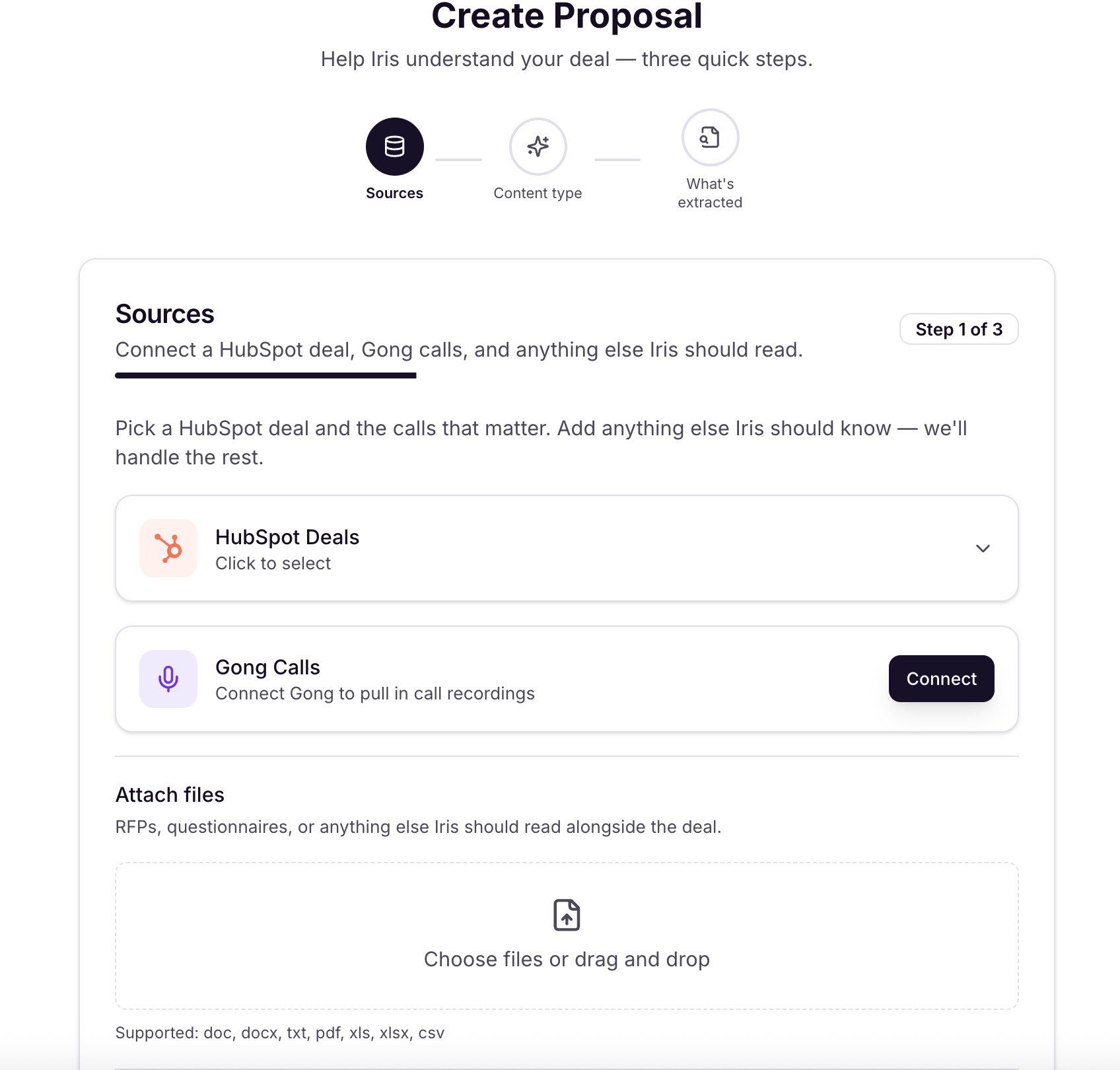
Context gathering — automatic: Before you answer a single question, Iris pulls CRM data, call transcripts, web research on the prospect, and your Knowledge Map together automatically.
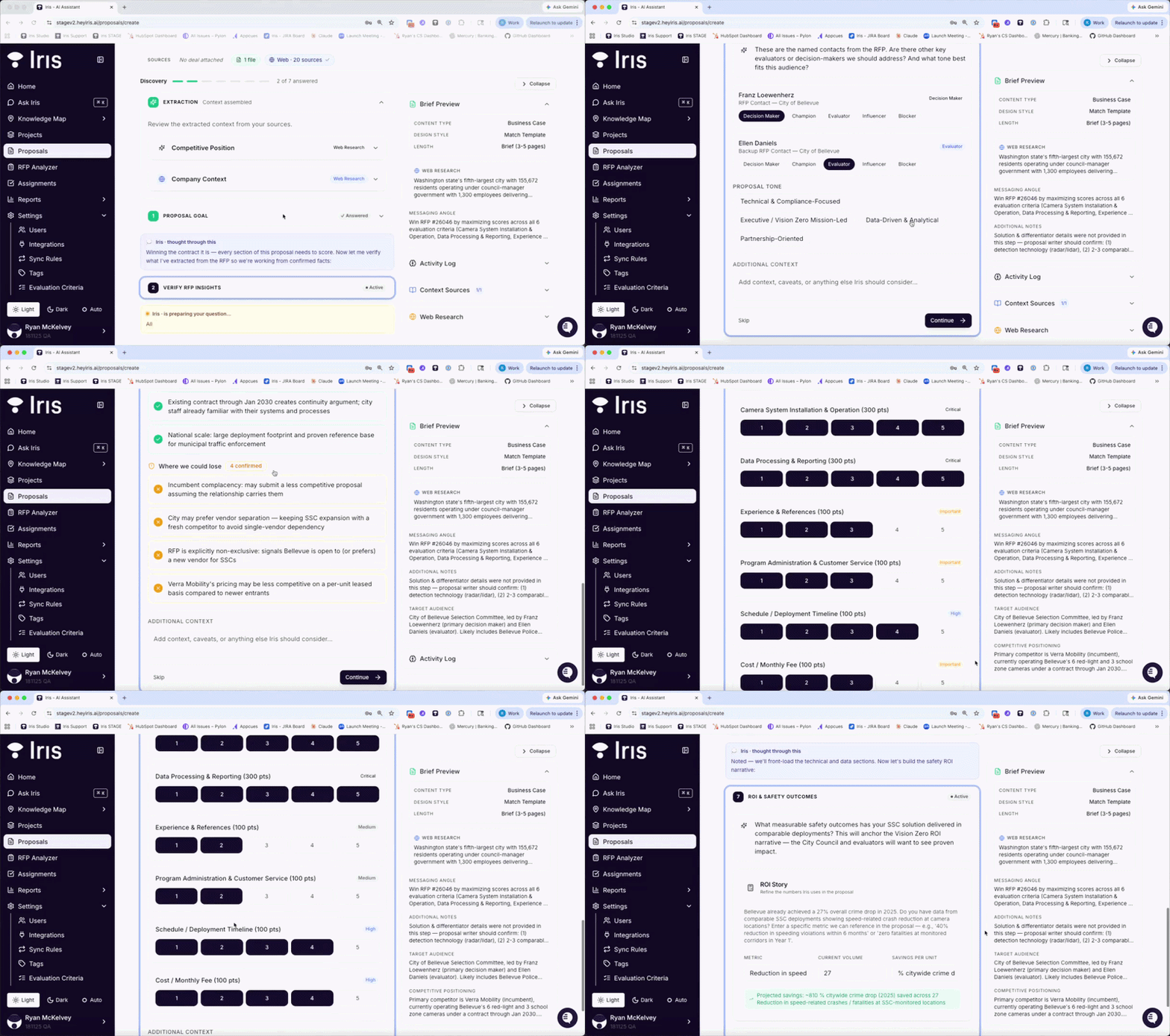
Guided interview: A short AI-guided interview (3–5 min) shapes the narrative — stakeholders, ROI, goals, and tone. The more specific you are on ROI, the better the output.
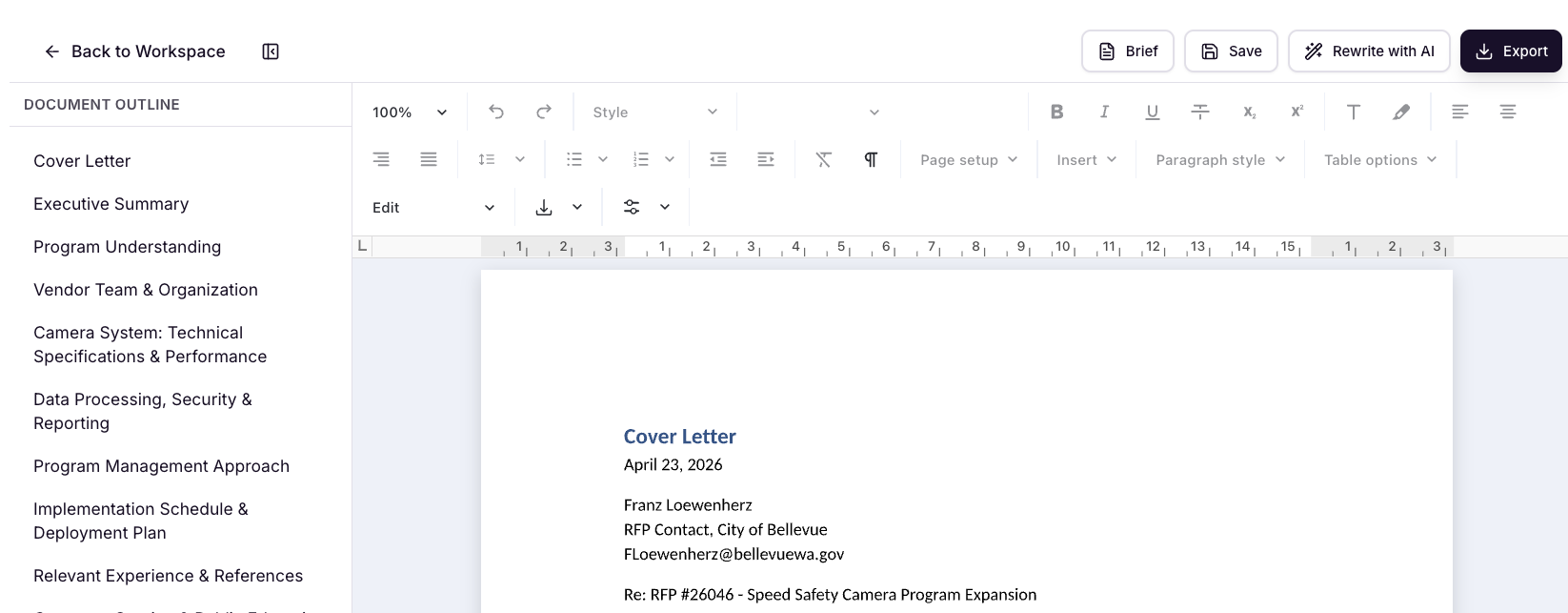
Instant generation: Once you complete the interview, click Generate. Iris writes each section grounded in your Knowledge Map and woven with prospect-specific context. Near-instant.
Full Word-style editor: Review and refine in a full editor. Rewrite any section with AI, edit directly, assign sections to teammates, and jump between sections via the outline panel.
Download as Word doc: Export as .docx and deliver. Same editor used in Iris's Narrative RFP response workflow.
No CRM? No problem: If you don't have a connected CRM, you can manually input a website, RFP materials, or context notes on the first page. Gong and other call recording integrations are optional — not required.
Want to try proposal generation? Contact your Iris CSM and we'll turn it on for you.
Full Project Re-Design: Multi-Column Answer Support
Multiple answer columns per question: Iris now generates responses for every annotated column in your spreadsheet.
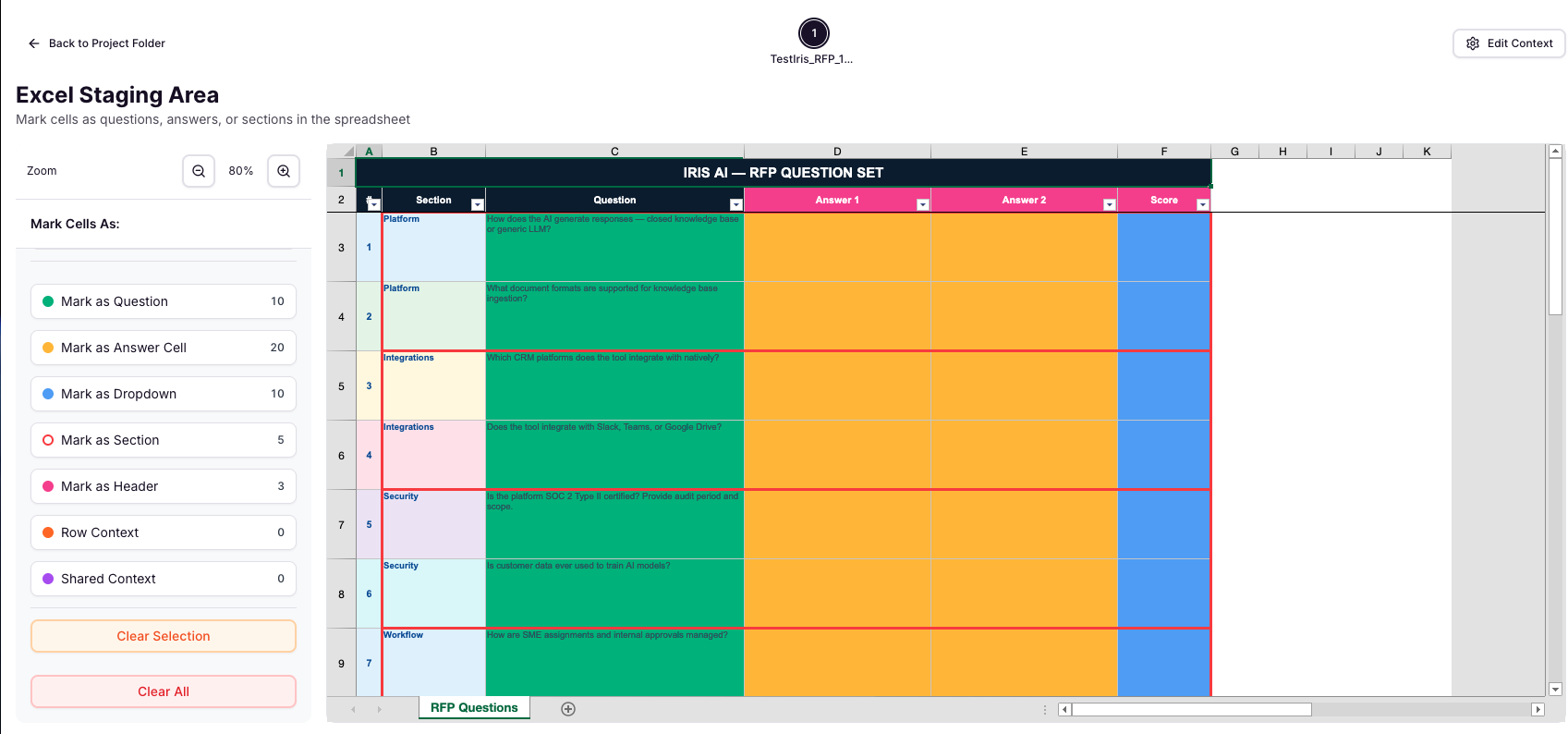
Per-answer lifecycle: Each individual answer has its own status, confidence score, evidence, comments, modification history, workflow, reviewers, and approval controls — fully independent from the others in the same question.
Answer tab bar: Questions with multiple columns now display a tab bar beneath the question text. Each tab is labeled with the column header name, shows a colored status dot, and the total answer count appears in the top-right corner of the card (e.g., "4 answers").

At-a-glance status summary: See how many answers within a question are approved vs. still in review directly from the project list — no need to open each tab individually.
Per-answer approval and reviewers: Each answer tab has its own Approve button, reviewer assignments, and workflow. Approving one answer doesn't affect the others.
Dropdown answer columns: Columns expecting a selection (e.g., Yes / No / N/A) now surface as dedicated dropdown tabs — clean individual selectors, not combined into a text bar.
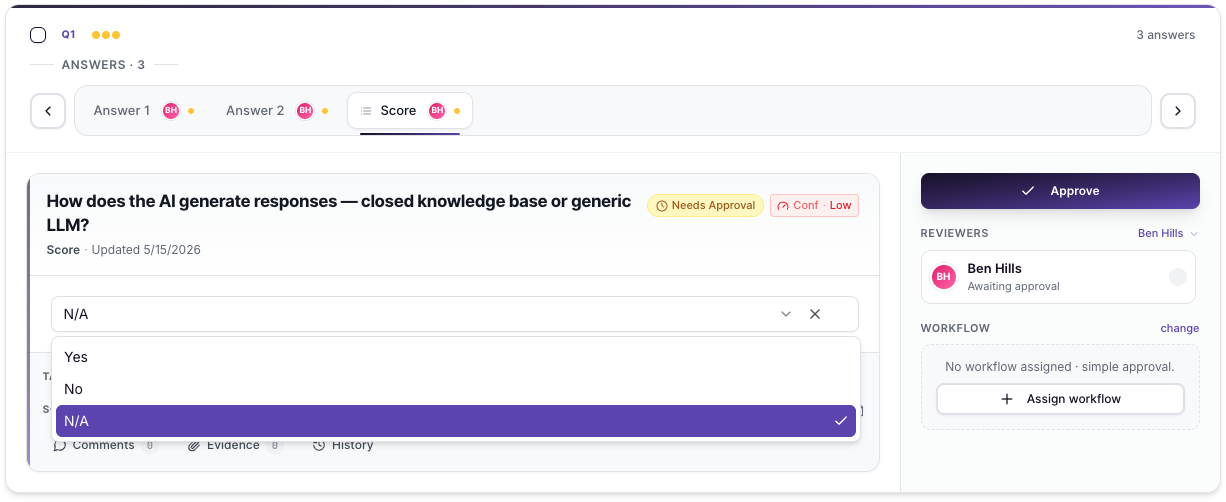
Focus Mode: Click into Focus Mode from any answer tab for a full-screen view of that specific answer, consistent with the project detail layout.
Export — all columns populated: When you export, Iris writes generated content back into every annotated column of your spreadsheet — not just one.
Assignments Page — Redesigned: We've redesigned the Assignments page to match.
IRIS AI Browser Extension (Version 2.0.0)
New question extraction — extension can now pull questions directly from Google Sheets and Google Docs
Expanded Auto Pilot support — Google Sheets (writes answers back into cells, supports up to 2 answer columns, auto-detects dropdowns), Microsoft Forms (radio, checkbox, text fields), and Prevalent TPRM portal
Custom Instructions in Auto Pilot — both standard and Google Sheets Auto Pilot now support selecting a saved custom instruction from the modal