Iris Release Notes — August 26, 2026
Last updated: August 27, 2026
New Features
Notion sync rules
You can now set up recurring sync rules for Notion, rooted at either a single page or an entire database. Once a rule is created, new and updated content is picked up automatically (typically within 30 minutes), so there's no need to re-import manually.
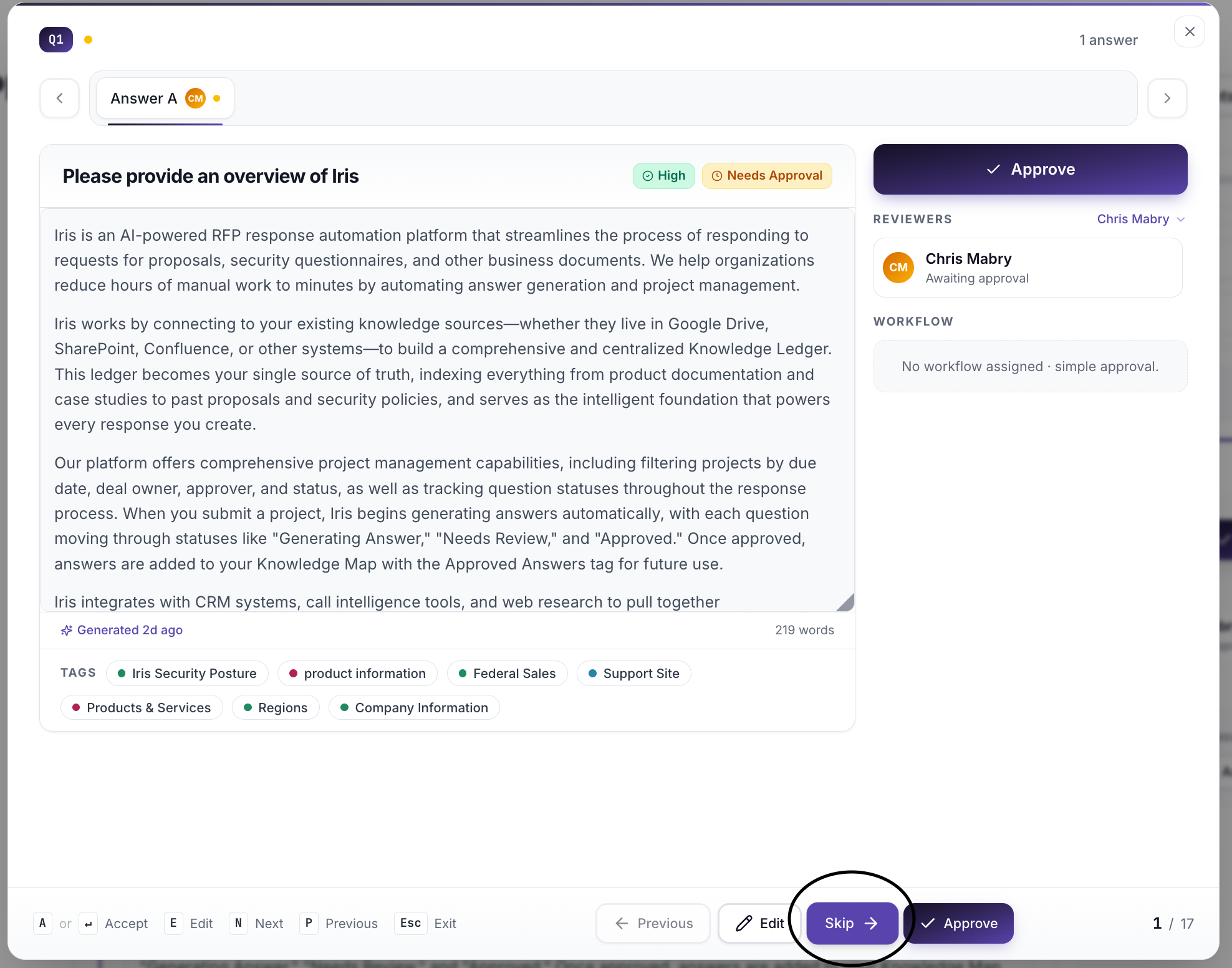
Skip button in Focus Mode
Focus Mode now has a visible Skip button next to Approve, so you can move past a question without approving it and keep moving through your list.
Updates and Enhancements
Improvements to SharePoint integration
Based on direct customer feedback, we've made several improvements to SharePoint:
Search now looks inside every folder nested under the one you're searching, not just that one folder, and you can search with multiple words at once
Integration cards now show the email of the Microsoft account that's connected, so it's clear which account Iris is using
Reconnecting now asks you to pick which Microsoft account to use, instead of silently using whatever account happens to be logged into your browser
Deleting a sync rule now also cancels the update notifications Iris set up with Microsoft for that folder, instead of leaving them running unused
Live crawl progress
The Knowledge Map crawl banner now shows live page counts, resumes its timer correctly after a refresh, and dismisses automatically once a crawl finishes.
More accurate bulk-regeneration progress
Progress for bulk answer regeneration now stays accurate even if you navigate away and come back, so the "N of total" count reflects what's actually been completed instead of losing track.
Higher processing capacity
We've increased capacity for bulk answer regeneration, Knowledge Map ingestion, requirement evaluation, and crawling, so larger jobs move faster.
Cleaner GovSpend opportunity matching
Improved how Iris generates the keywords and industry codes used to find GovSpend opportunities for your company. Matching now avoids jargon (like "CX" or "BPO") and overly broad industry codes that were letting irrelevant opportunities through, so your results list should feel more relevant.
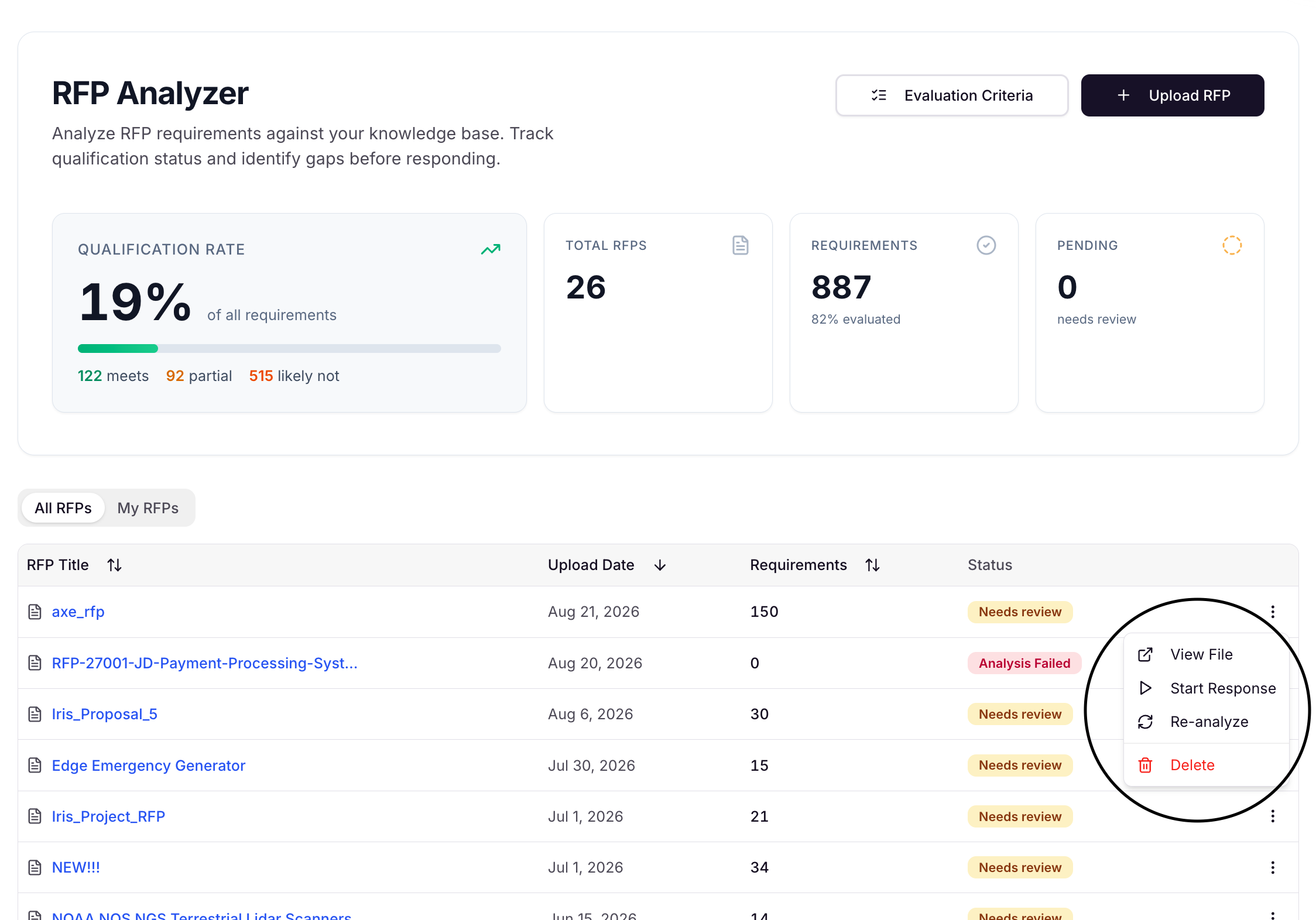
RFP Analyzer menu fix
The "⋮" menu on an RFP no longer closes on its own while that RFP is being analyzed.
Performance and security improvements
A number of backend performance and security improvements shipped as part of this release.
Bug Fixes
Exports with attachments: Exports that include attachments could hang indefinitely without ever completing. This is now fixed.
RFP Analyzer qualification tile: On large RFPs (50+ requirements), the qualification-rate tile could undercount how many requirements had actually been evaluated. It now reflects the correct count.
Approved Answers bulk-action bar: The bulk-action bar no longer covers the pagination controls in the Inbox or Library tabs.
Excel export: In Excel questionnaires where a question spans merged rows, exporting could overwrite the question text with the answer instead of placing the answer in its own cell. Answers now export correctly without erasing the question.
Q&A tooltip spacing: Fixed missing spacing that ran question and answer text together in the tooltip.
Answer field flickering: Editing a multi-line answer at certain window widths could cause the answer field to flicker for about a minute and throw an error. This is now fixed.
Confluence sync silently failing: Confluence connections could stop syncing new content after about an hour while still showing as "connected," with no indication anything was wrong. This is now fixed.
Questions? Reach out to your FDE or email support@heyiris.ai.