Iris Release Notes -- March 19th, 2025
Last updated: March 20, 2025
We’ve got some fresh updates rolling out today. First and foremost:
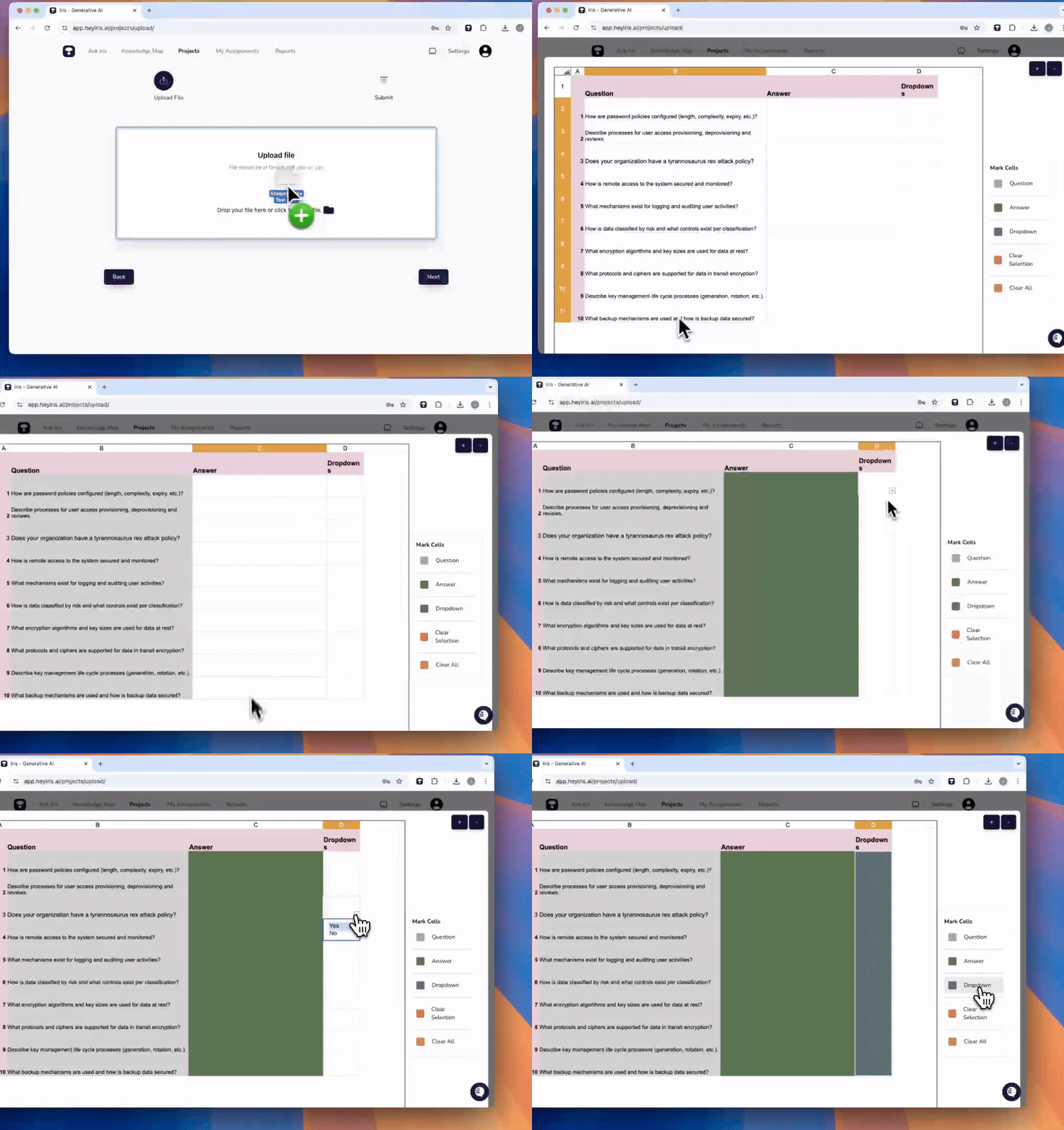
🎬 Staging Area
After uploading your file, you’ll now see a near-native representation of it—so you know exactly how it looks before finalizing! 🖼 This means you can:
✅ Highlight key questions, answers, and dropdowns with ease.
✅ Get a clearer preview before moving forward.
Check out the quick walkthrough video here 📽
🗺 Knowledge Map Enhancements
Managing your files just got even better:
🏷 Easily see all tags associated with a file directly in the file manager.
🗑 Bulk select/delete files within the File Manager—clean up faster than ever!
💾 AutoSave Answers
Answers now save whenever you click out of the textbox, whenever you hit "approve", and every 60 seconds. Check out the new "All Changes Saved" icon at the bottom of your text box.
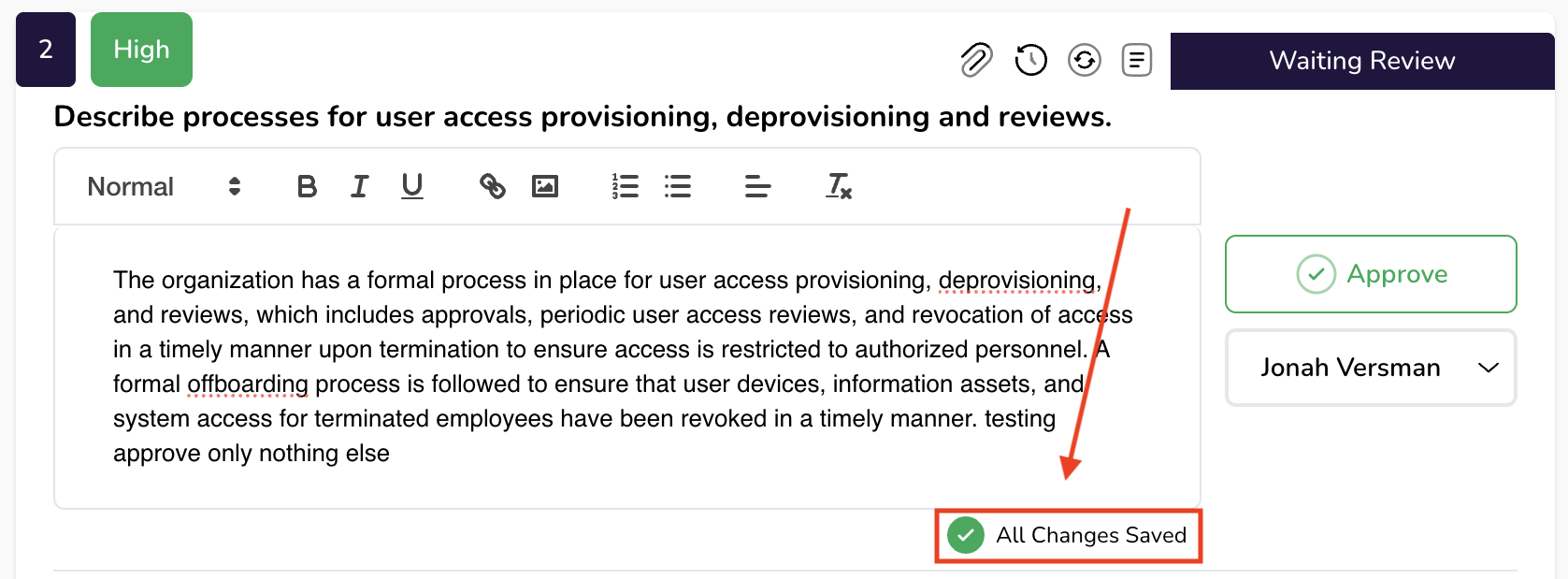
For those who love keyboard shortcuts: "ctrl + enter" will save and approve your answer, as well.
🔍 Expand Sources
We’re making it easier to track down sources! Cited sources are now neatly nested within a single accordion folder—just expand to see everything in one place. 🗂
🌐 Microsoft Edge Extension
Great news for Edge users! 🎉 Our Microsoft Edge Extension is officially live, making it easier than ever to use Iris in portals and in your day to day.
🔑 One-Click Sign-In (Chrome + Edge)
Logging in just got smoother! Now, you can sign into our browser extensions with a single click—no more copy-pasting API keys. 🔥
🛠 Bug Fixes and Other Enhancements
✂ Copying an answer no longer includes unwanted HTML styling in the Chrome extension.
🐛 Fixed a bug that was restricting Editing and Deleting Tags.
🔌 Improved API authorization and session handling.
📶 Enhanced error messages and loading states.
🌚 Support for dark mode in the Chrome Extension. Iris will auto-match whichever you use.
As always, we’d love your feedback! We welcome your thoughts or questions.
Happy answering!
The Iris Team
🚀 Ready to Explore?
All these enhancements are live! Sign in to take a look!