Iris Release Notes — August 27, 2026
Last updated: August 28, 2026
New Features
Connected AI assistants can now add to your Knowledge Map
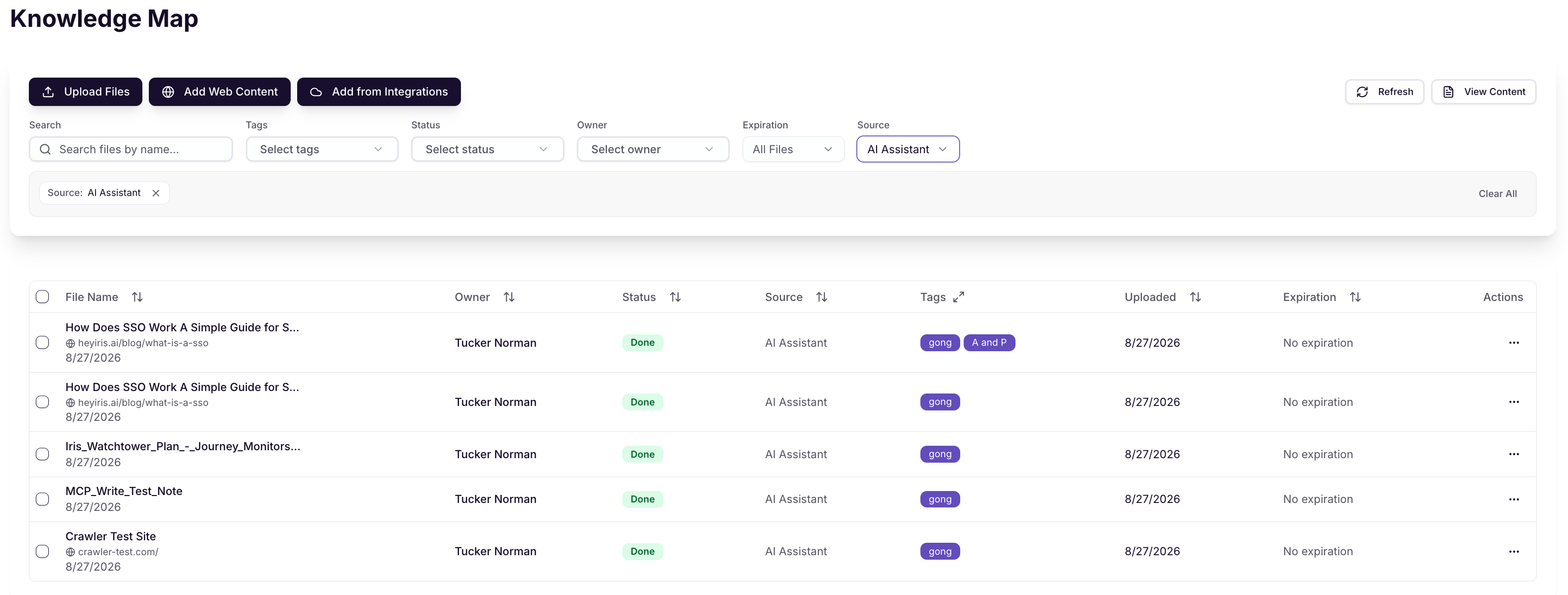
Until now, an AI assistant connected to your Iris account could only read from your Knowledge Map. It can now add to it too, pulling in a webpage (and optionally crawling linked pages), uploading a file, or adding pasted text directly.
Content added this way is labeled "AI Assistant" in the Knowledge Map, so you can always tell how something got there.
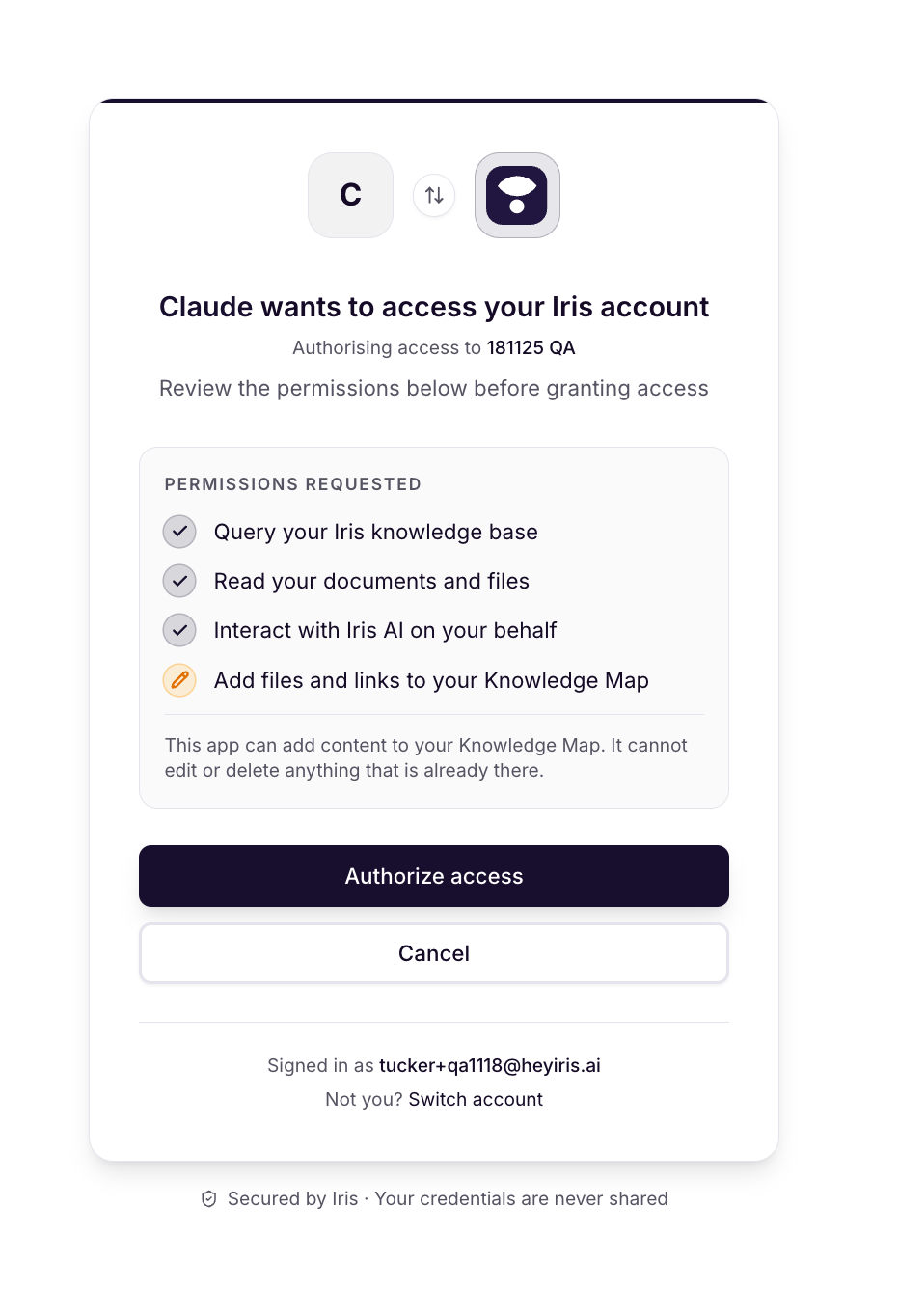
This uses a new permission, separate from the existing read-only access. If you've already connected an assistant, you'll need to re-approve it to grant write access; nothing changes for existing connections until you do.
Clearer permissions when approving an AI assistant
The approval screen you see when connecting an AI assistant to Iris now shows exactly what that assistant is asking for. If it's requesting the new write access described above, you'll see a clearly marked entry explaining that it can add content to your Knowledge Map, and that it cannot edit or delete anything already there.
Vanta Trust Center documents can now sync automatically
Vanta imports used to require manually selecting files every time you wanted an update. You can now set up a sync rule for Vanta, the same way you already can for Confluence, SharePoint, Google Drive, and Notion, either syncing specific files or your entire Trust Center automatically.
Updates and Enhancements
GovSpend opportunity matching is now automatic
The manual "Re-search" button in the GovSpend Opportunities view has been removed. Whenever you update or regenerate a company summary, matching opportunities now refresh on their own, no extra step to remember.
SharePoint sync rules can now re-sync existing files with updated tags
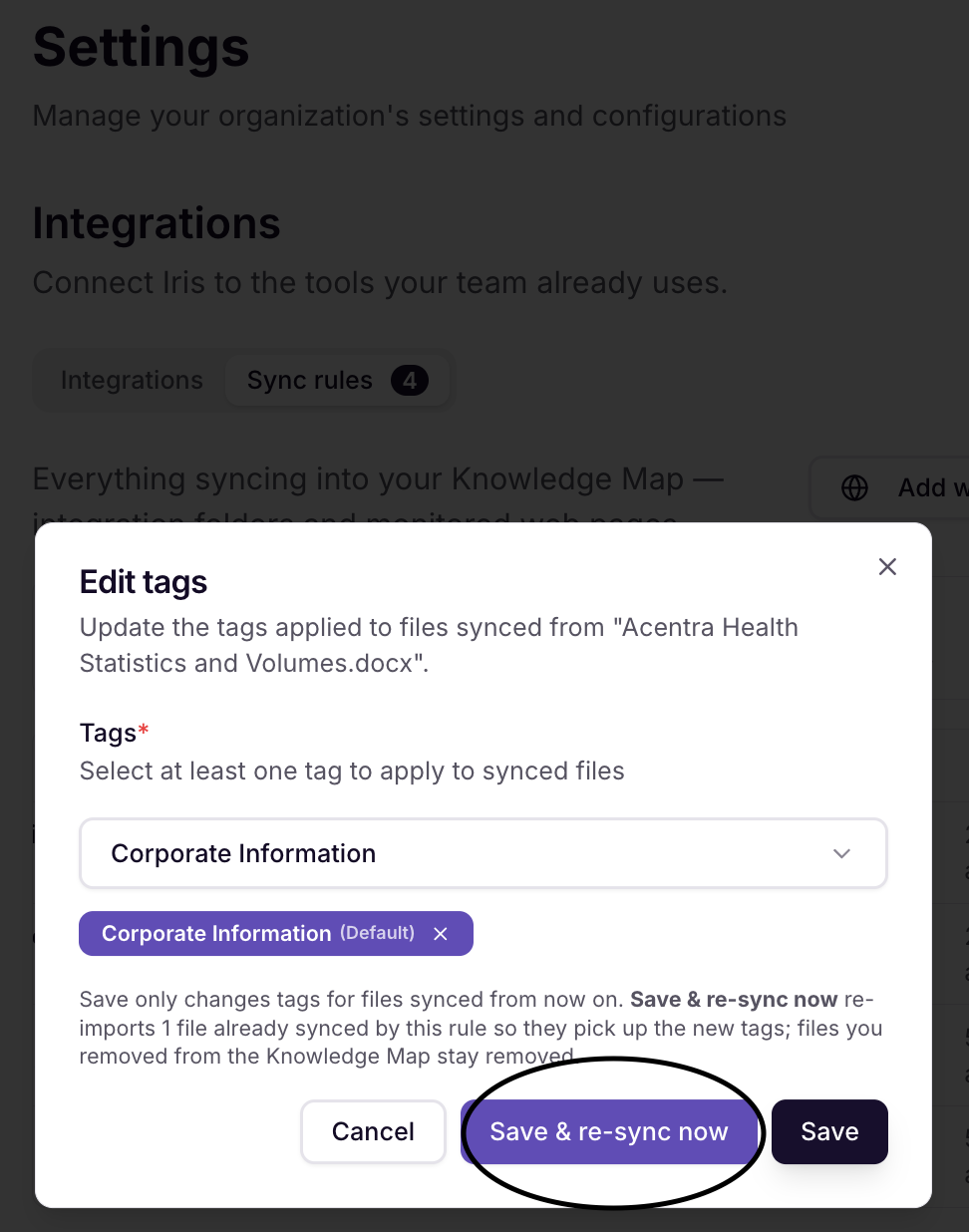
Editing the tags on a SharePoint sync rule now includes a "Save & re-sync now" option. This re-imports files already synced by that rule so they pick up the new tags right away, instead of waiting for the next scheduled sync.
Bug Fixes
Excel exports breaking cell validation: Some exported Excel files had a broken rule on certain cells that blocked you from editing them. Exported files can now be edited normally.
Approved Answers CSV export failing on large exports: Exporting a large set of Approved Answers to CSV could fail with an error. This export path is now fixed and works reliably at any size.
Vanta files failing to open or download: Some documents synced from Vanta (your compliance and security platform) in the Knowledge Map couldn't be viewed or downloaded correctly. This is now fixed.
Unwanted GovSpend regeneration: In some cases, closing out of a regeneration prompt in the GovSpend view could still trigger the regeneration anyway. This no longer happens.
Approval screen hanging on load: In rare cases, the AI assistant approval screen could spin forever without ever loading. It now shows a clear error message instead.
Questions? Reach out to your FDE or email support@heyiris.ai.