Reports
Last updated: May 12, 2026
Leverage Iris’s reporting capabilities to gain valuable insights into project and organizational performance.
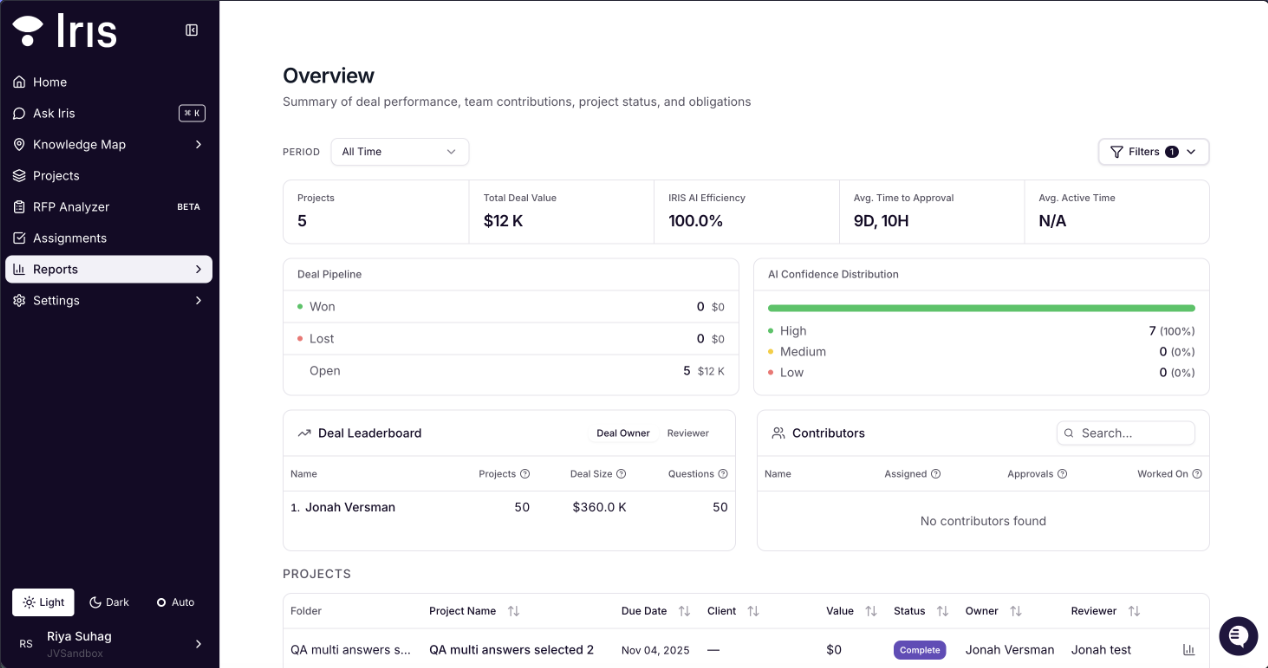
Key Features:
Project Metrics:
Total Number of Projects.
Total Deal Value
Average Revisions per question
Average Time to Completion.
Average Accuracy (compares the initial generated answer to the final approved response).
Obligations:
Automatically track promises and obligations made during RFP submissions, ensuring transparency and accountability. Download them for Customer Success handoffs, Implementation Managers, Solutions Architects and CRM Notes.
Global Reporting:
Analyze trends across all projects, such as:
Top contributors.
Average completion times.
Revenue impact per project.
Best Practices:
Regularly review metrics to identify bottlenecks and areas for improvement.
Use deliverable tracking to maintain alignment between commitments and outcomes.
Project Reports
When a project is marked as fully Complete, Iris will generate a report of project analytics specific to the activity in that project. These metrics include:
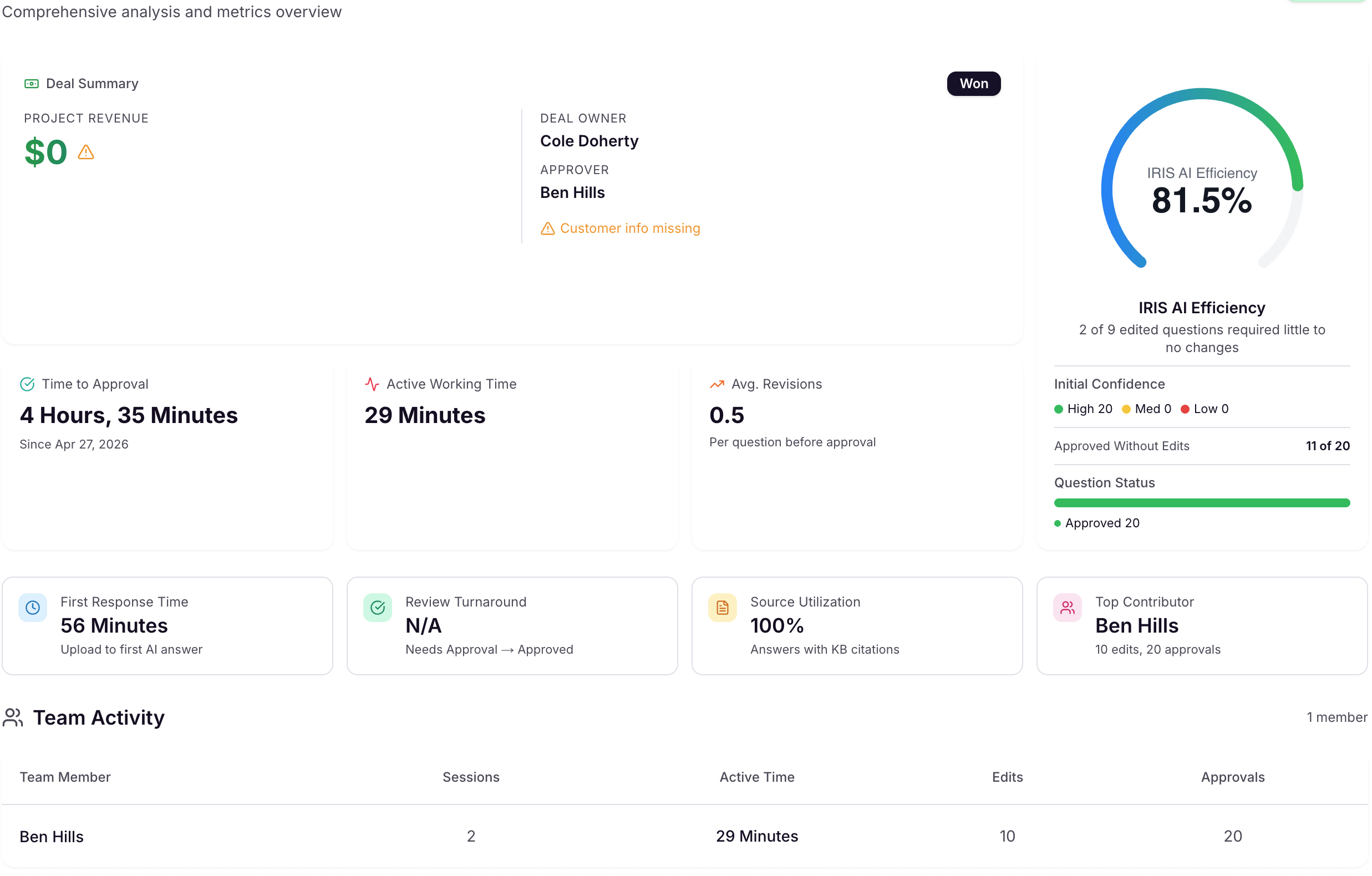
1) AI Efficiency
Measures how accurate Iris's original AI-generated answer was compared to the final approved answer. Each approved answer is scored at finalization — the score reflects how much the human editor had to change from the AI draft. Answers that were approved without any edits are counted as 100% (the AI was correct first time). The overall % is the average across all approved answers in the project.
2) Source Utilization
The percentage of approved questions whose answers include source citations. A question counts toward this metric if any of its answers has a non-empty citations list attached. It does not measure whether Iris-generated content was retained in the final answer — it measures whether sources were cited at all.
3) Avg. Revisions
The average number of distinct editing passes per question across the project. A new revision is counted each time a reviewer switches away from editing a question and then returns to edit it again (within or across sessions). The denominator is all questions in the project — including unedited ones — which is why values below 1.0 are common. A score of 0.5 means most questions were either approved without edits or edited in a single uninterrupted pass.
4) Average Active Time
The total time reviewers spent actively editing the project, broken into sessions. A session runs from when a reviewer opens the editor to their last action before 5 minutes of inactivity — at which point the session ends silently and a new one begins on next activity. Time when the browser tab is hidden is also excluded. This means the metric reflects genuine editing time only, not idle or stale time. A lower average typically indicates reviewers are making quick, focused edits rather than leaving the editor open.
Video: Reporting Dashboard in Iris