Gong
Last updated: June 22, 2026
What it does
By connecting Gong to Iris, your call intelligence becomes a live source of context — so Iris can generate richer proposals, projects, meeting preps, and account briefs grounded in what was actually said on calls.
How to Set it up
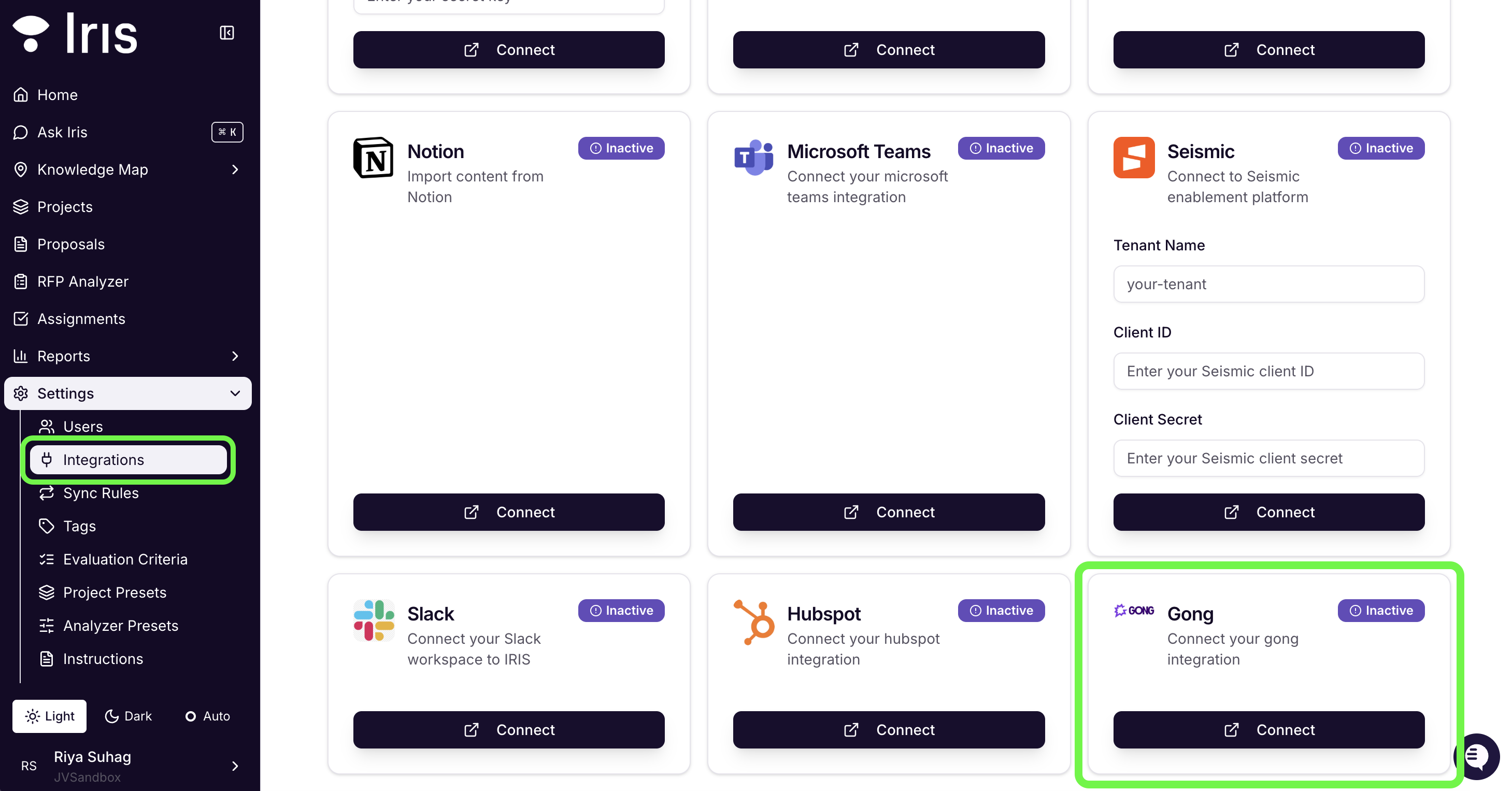
In your Iris sidebar, go to Settings → Integrations. Scroll to the Gong card.
Select Connect on the Gong card. You'll be redirected to the Gong OAuth page.
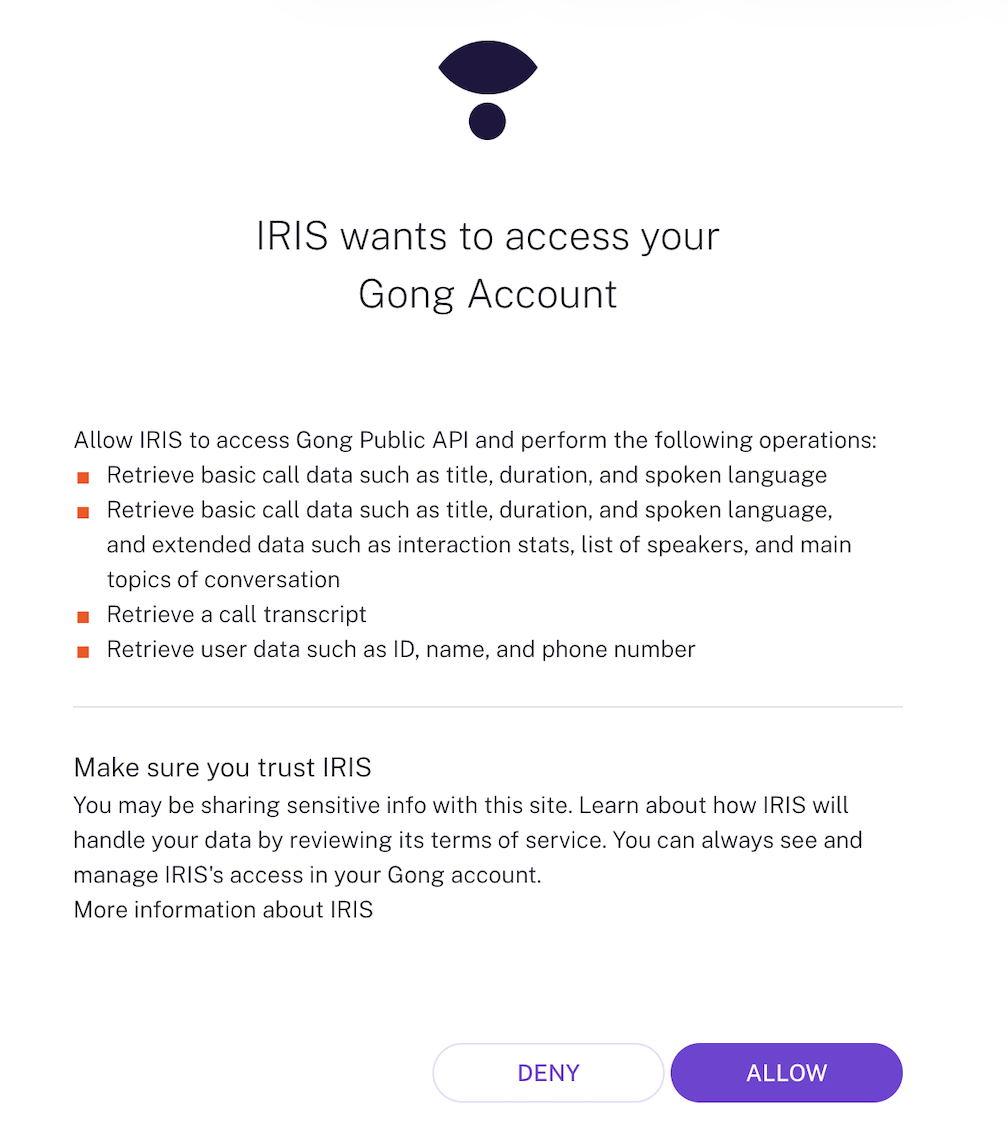
Log in to your Gong account if prompted. Gong will display the permissions Iris is requesting — including read access to calls, transcripts, and user data. Click Allow to approve.
You'll be redirected back to Iris. The Gong card will show a Connected status badge. Gong call data will begin syncing in the background.
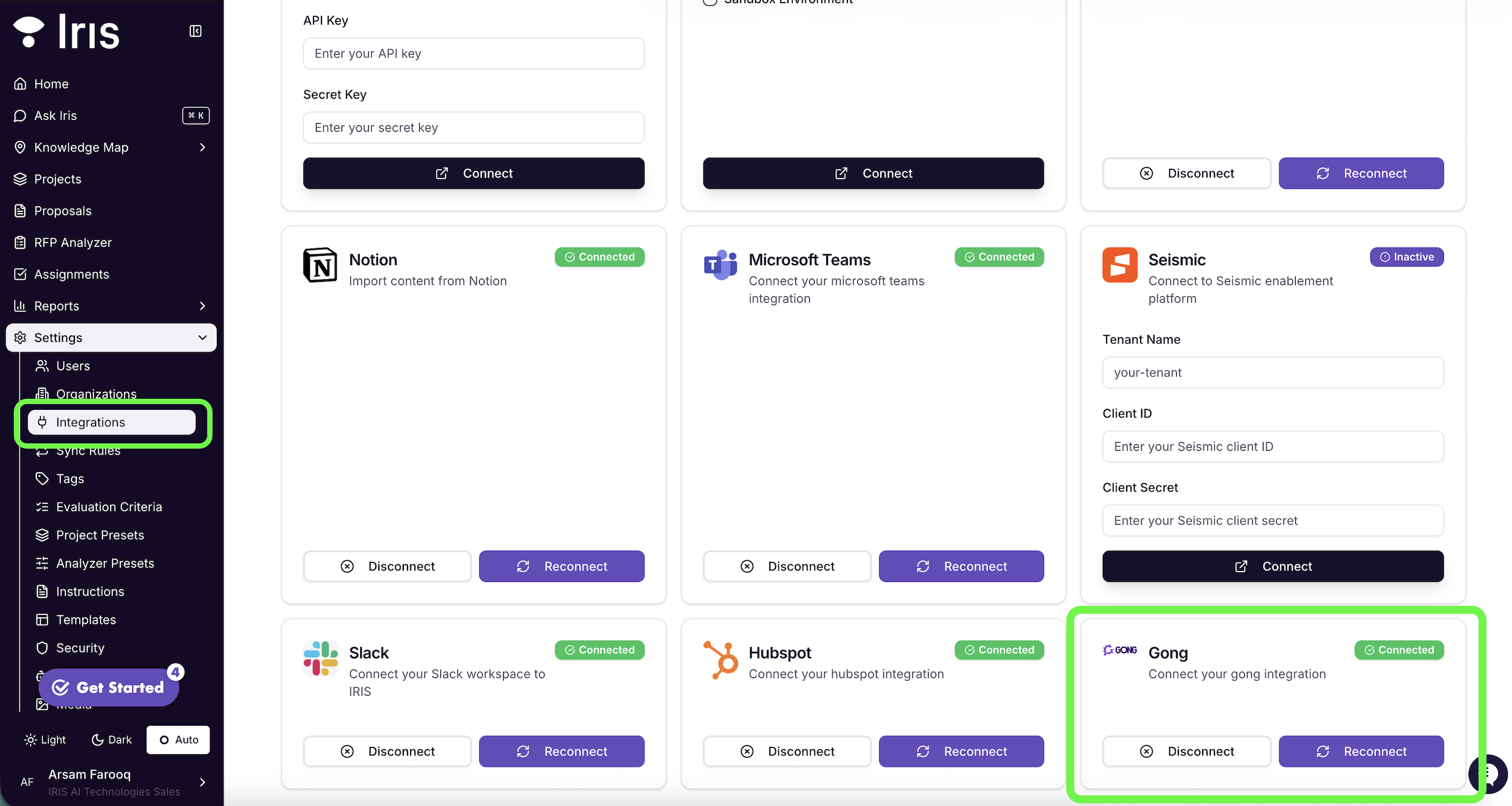
To disconnect Gong, go to Settings → Integrations, locate the Gong card, and click Disconnect.
Note: Disconnecting Gong will immediately stop Iris from accessing your call recordings and transcripts. Any proposals or briefs already generated using Gong data will remain in Iris, but new workflows will no longer have access to Gong context until the integration is reconnected.
Need Help?
If you encounter issues setting up this integration please reach out to your Iris CSM or contact Iris support at support@heyiris.ai