Answer History & Audit Trail
Last updated: October 29, 2026
Iris records every change to every answer: who changed it, when, and what was there before. Open History on any answer to see the full audit trail, with edits shown as tracked changes so you can spot exactly which words were added or removed.
Use it to:
See who edited an answer and what they changed before you approve it
Find out when an answer was approved, and by whom
Check who was assigned to review an answer
Show auditors or compliance reviewers how a response was produced
Opening the History panel
Open a project and find the question you want to check.
Below the answer, click History.
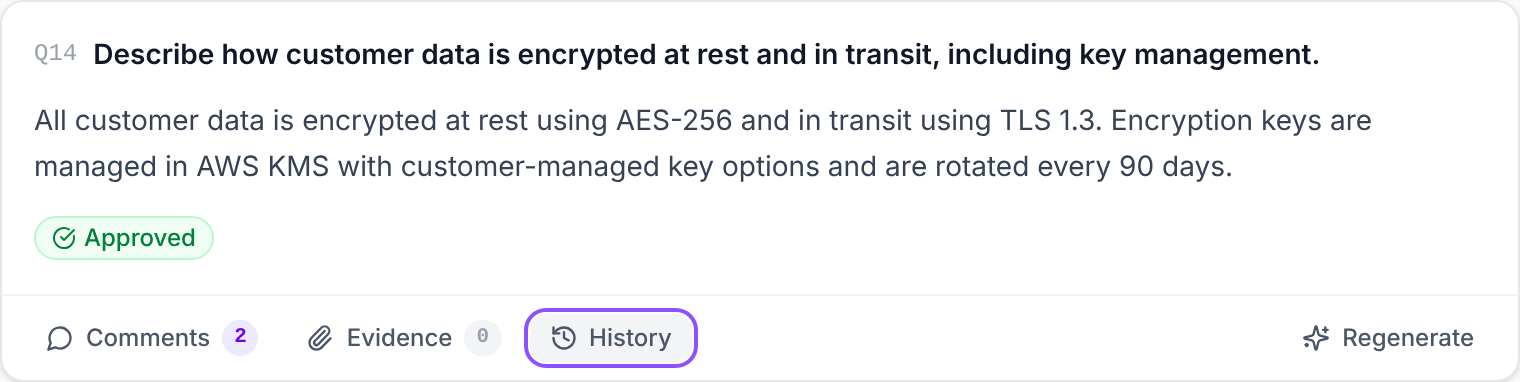
The panel opens on the right side of the screen, on the History tab. Use the other tabs (Citations, Comments, Evidence) to switch between views without closing the panel. Click Close when you're done.
Tip: If a question has more than one answer, each answer has its own History button and its own history.
The History panel
The panel has two sections, Approval Activity and Change History. The newest entries appear first in each one.
Change History: tracked changes
Each entry in Change History shows:
Who made the change (name and initials)
When it was made (in your local time)
Which field changed, e.g. Answer Text
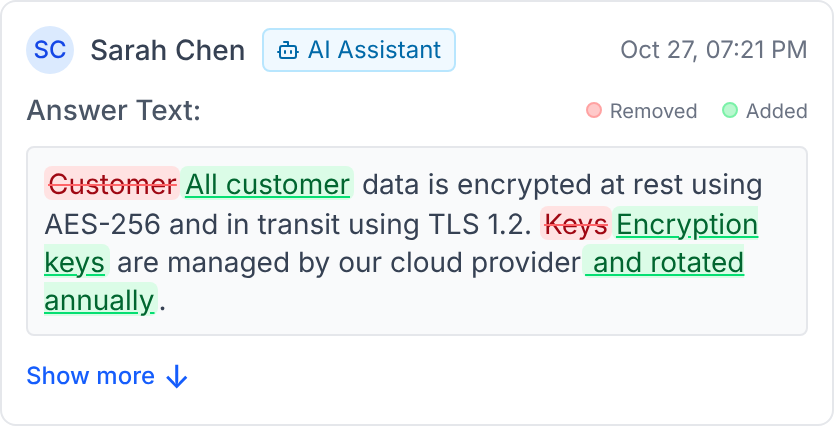
What changed, highlighted as tracked changes
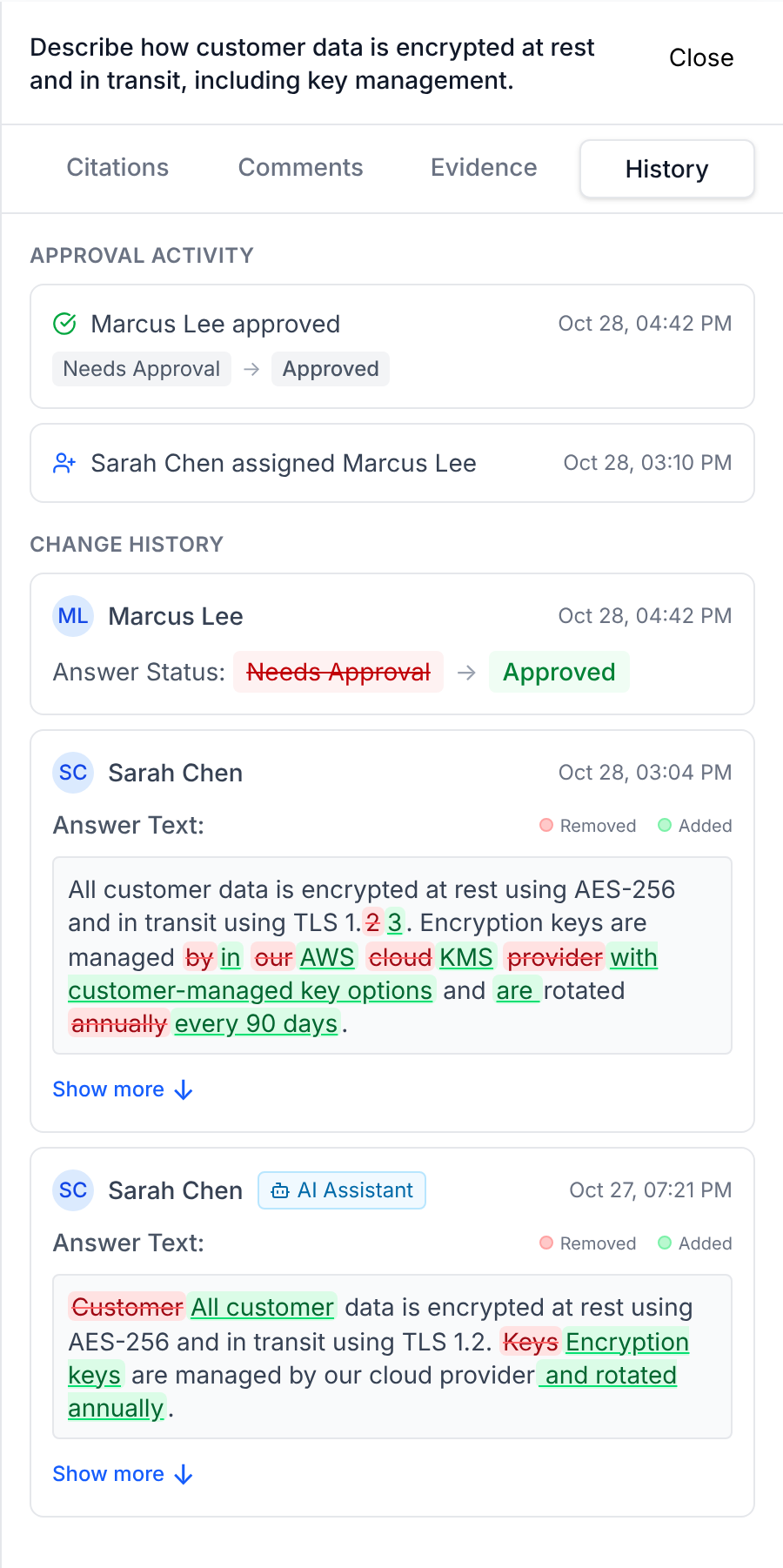
How to read the highlighting
Highlight | Meaning |
|---|---|
Red, struck through | Text that was removed |
Green, underlined | Text that was added |
Plain text | Text that didn't change |
A Removed / Added key appears in the top-right corner of every entry.
In the example above, the editor changed TLS 1.2 to TLS 1.3 and replaced "managed by our cloud provider and rotated annually" with "managed in AWS KMS with customer-managed key options and are rotated every 90 days." Everything else in the answer stayed the same.
A few things to know:
Changes are tracked word by word, so a small edit to a long answer is easy to find.
Rewritten answers are shown as a whole. If an answer was mostly rewritten, Iris doesn't mix old and new words together. It shows the old answer struck through, then the new answer, so both stay readable.
Long answers are collapsed. Click Show more to see the full change and Show less to collapse it again.
Formatting and images are kept. Lists, links and images in the answer appear in the diff the same way they look in the answer.
Status changes
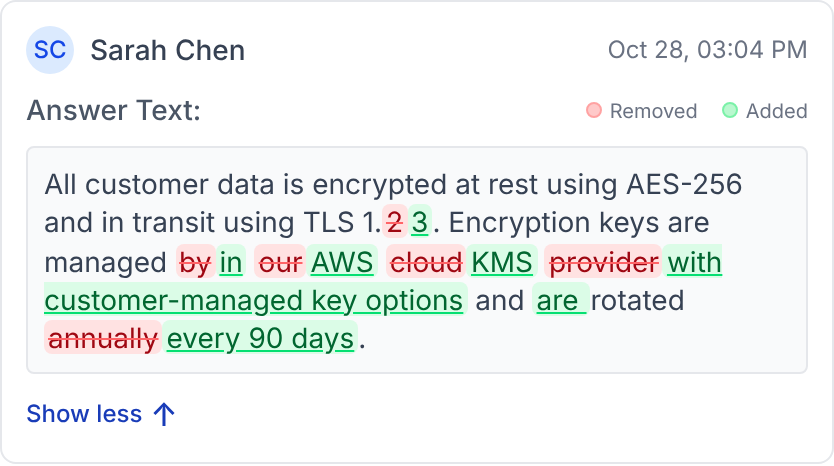
When an answer's status changes, the entry shows the old status and the new one, side by side:
Other tracked fields
Answer text and status are the most common entries. Iris also records changes to:
Assignee
Reviewer and reviewer group
Tags
Answer label
Custom instructions
Confidence score
Changes made by an AI assistant
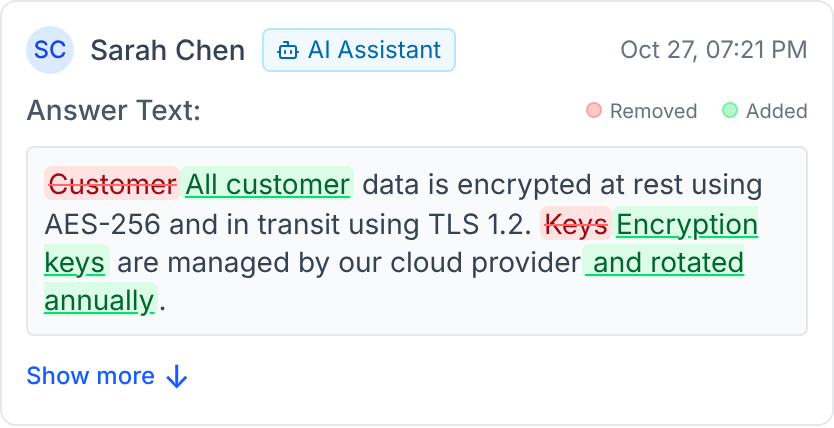
If a change came through a connected AI assistant (for example, Claude or ChatGPT connected to Iris via MCP), the entry has an AI Assistant badge next to the person's name. The name is the user whose account the assistant was connected to.
Approval Activity
Approval Activity shows the review and approval steps for the answer:
Icon | Event |
|---|---|
Green check | Answer approved, with the status change shown underneath (e.g. Needs Approval → Approved) |
Amber X | Answer unapproved |
Person + | Reviewer assigned |
Person X | Reviewer unassigned |
Clipboard | Review workflow attached or removed |
List + / List − | Workflow step added or removed |
Sliders | Step approval mode changed (Any one approves / All must approve) |
If an approval counts toward a specific reviewer, the entry names them too, e.g. "Marcus Lee approved for Priya Shah."
FAQ
Who can see an answer's history? Anyone with access to Projects in your organization can open the History panel on answers in the projects they can view.
Can history be edited or deleted? No. History is read-only. Editing an answer adds a new entry; it never changes earlier ones.
How far back does the history go? The panel shows the 50 most recent approval events and the 50 most recent field changes for each answer.
Why does an entry say "Unknown User"? No person was recorded for that change. This usually means an automated process made it, such as answer generation or a bulk update.
What's the difference between Approval Activity and Change History? Change History records edits to the answer's fields: its text, status, assignee and so on. Approval Activity records the review process: who approved or unapproved, and changes to reviewers and workflows. One approval can appear in both, as an approval event and as a status change.
Need help? Reach out to your Iris customer success manager.