Regenerating an Entire Project
Last updated: October 29, 2025
How to Regenerate an Entire Project in Iris
Did you forget a tag? Need to update your answers or incorporate new custom instructions? Follow these steps to regenerate an entire project in Iris
Open the Project:
Regenerate the Project:
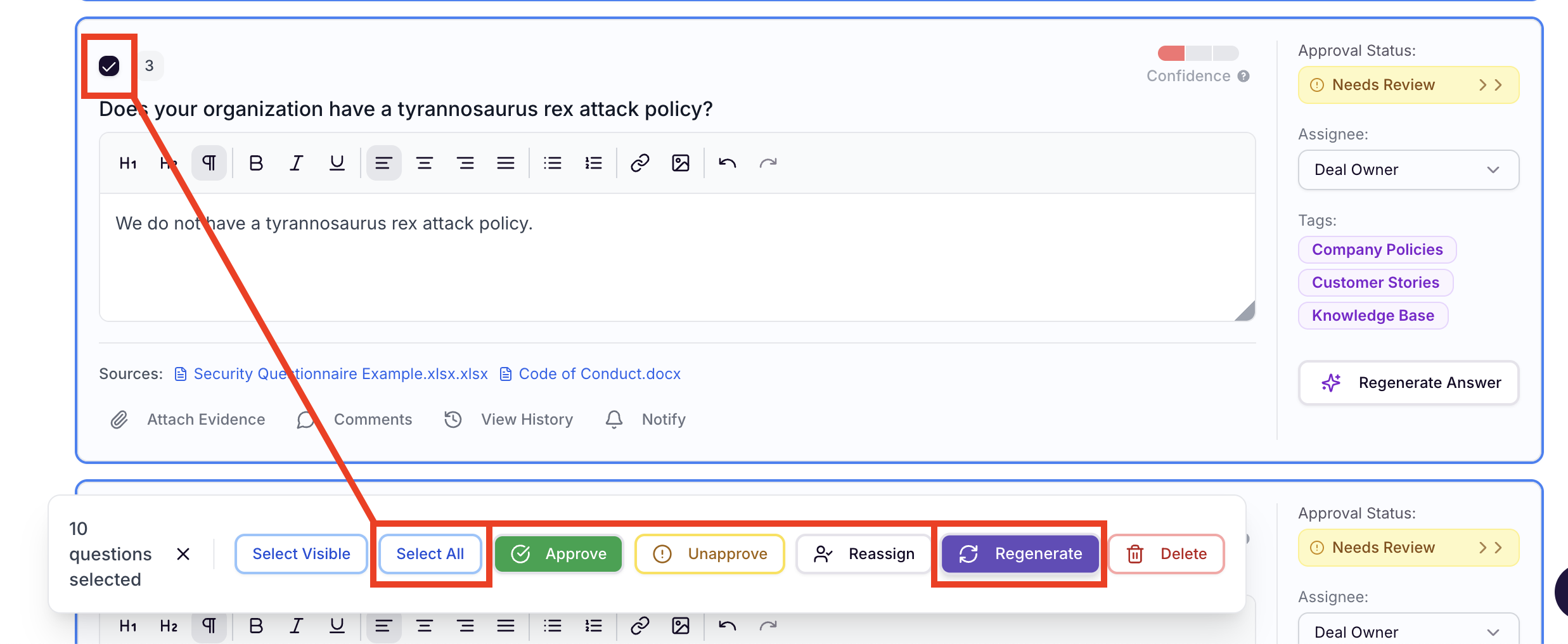
Select the Checkbox next to any question.
Click Select All to ensure all answers are included.
Click Regenerate.
Confirm and Customize:
Adjust your tags, question context, and/or custom instructions.
Click Regenerate.
Note: Regenerating a project will overwrite all existing answers in the project with new ones based on the latest settings and instructions. Ensure you’ve reviewed your changes before initiating.