Iris Release Notes — April 16th, 2026
Last updated: April 16, 2026
This week: better reports, smarter answers, and a long list of things that used to quietly annoy you — fixed.
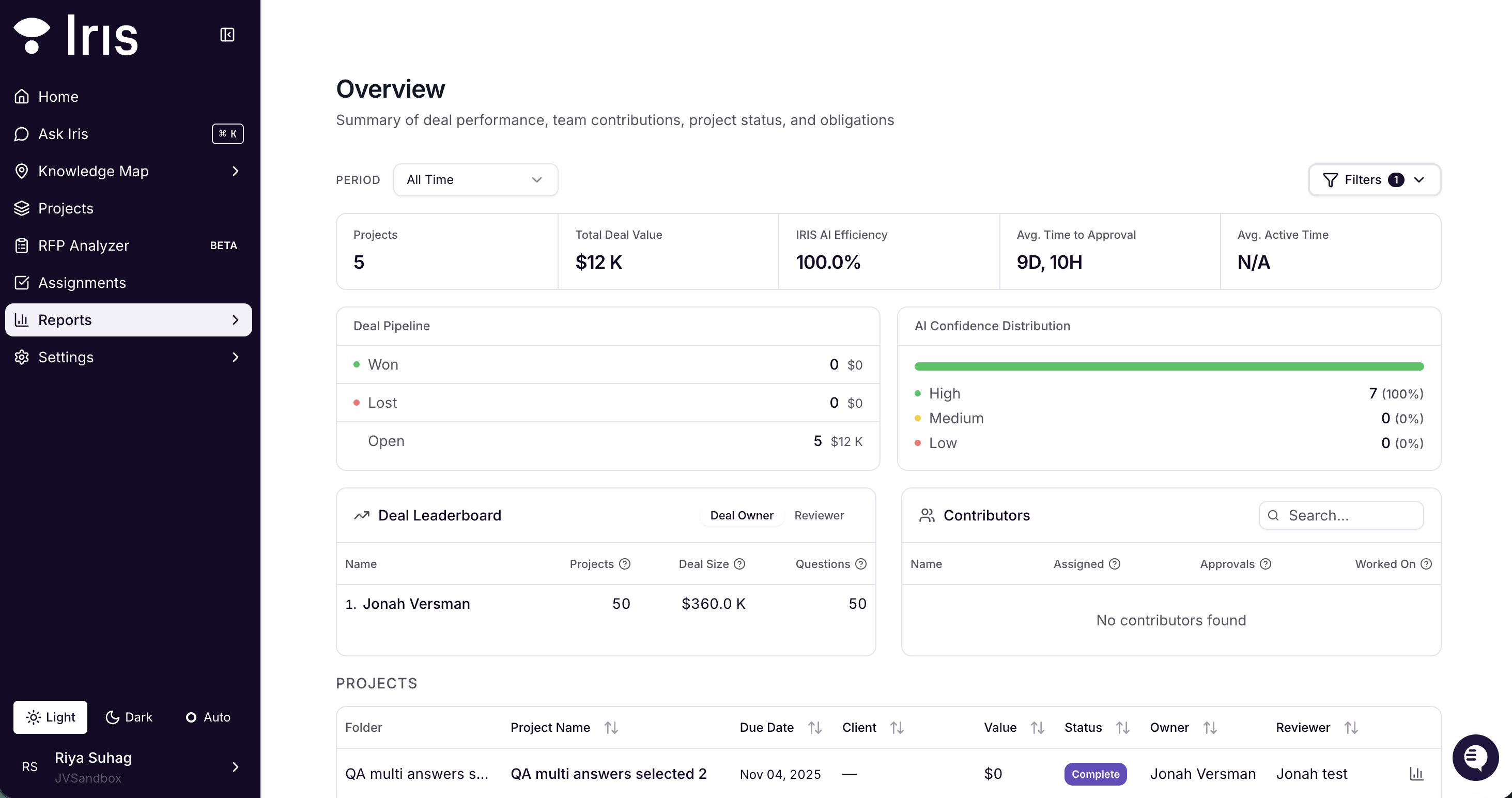
Reports Reimagined
Your summary reports page got a full overhaul. You can now filter by time period, dig into per-project analytics, and track activity metrics that actually tell you what's happening across your work. No more squinting at a summary that's too broad to be useful.
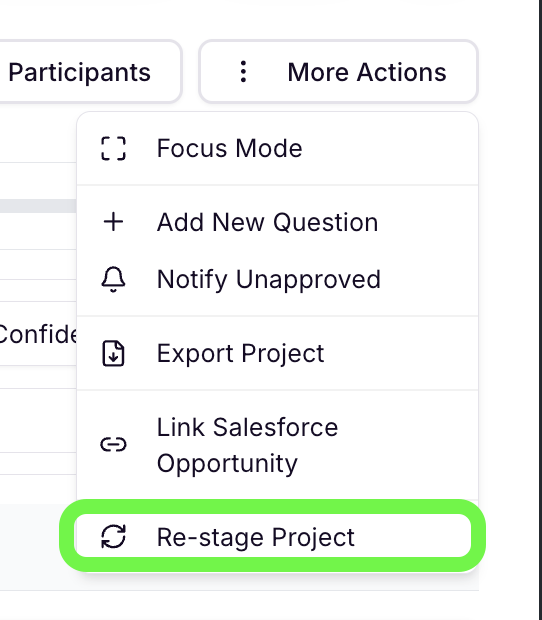
Re-staging excel docs: Re-open a project without starting over
Remember finishing a project, locking it in, and then getting three more questions you needed to answer? Now you can re-open any finalized Excel project and annotate additional questions without touching anything you've already approved. Your existing work stays locked and intact — new questions just slot in alongside it.
Ask your CSM to enable re-staging for your org.
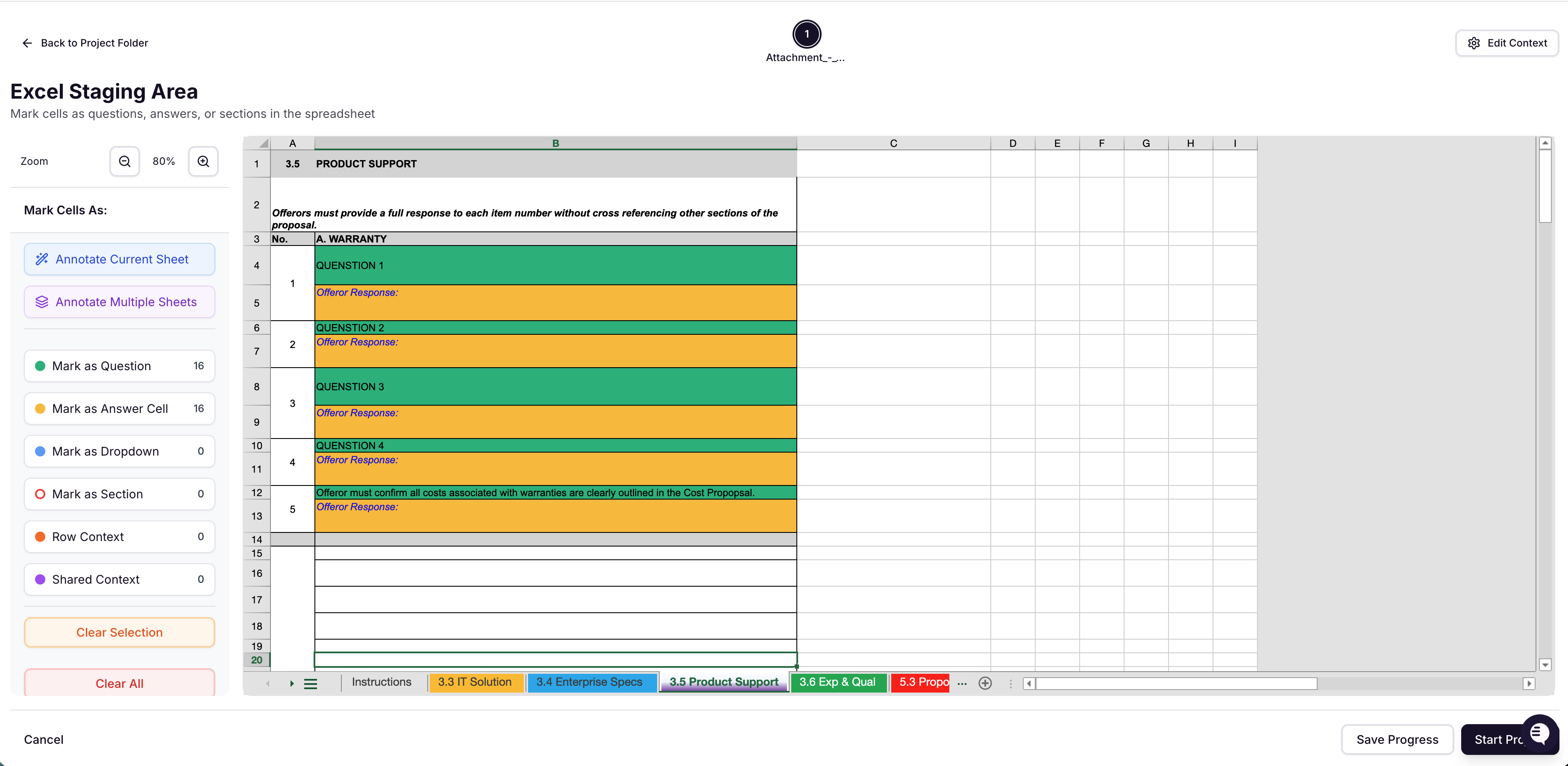
Vertical answer layouts now supported
Iris now handles answer cells placed directly below their question cells, not just side-by-side. If your questionnaire is formatted that way, it'll work exactly as expected.
Bug Fixes
Tag management is no longer Admin-only
Standard Users can now create, edit, and delete tags when tag management is turned on in org settings. No more asking an Admin to handle tagging for you.
Bulk delete immediately updates the file list
After bulk-deleting files from your Knowledge Map, the list now refreshes automatically. You no longer have to manually reload the page to confirm they're gone.
Web scrape links now go to the right pages
When Iris deep-crawls a website, sub-pages now correctly link to their own URLs. Previously everything was resolving back to the root URL — making it hard to trace where content came from. More updates are coming soon to make webpages easier to manage.
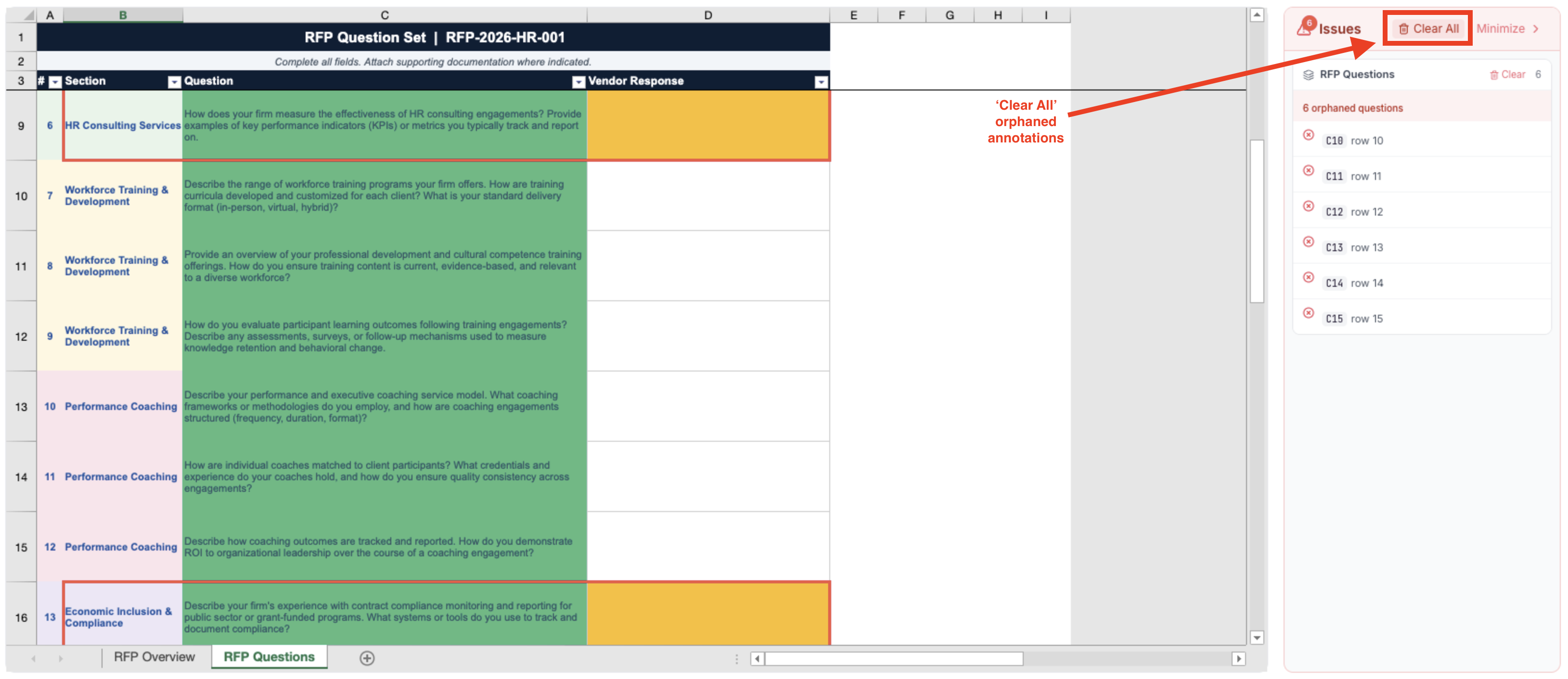
Orphaned annotations are now clearable
If your Excel staging area has annotations that no longer map to any question, there's now a "Clear All" button to clean them out in one click.
AI Parse toggle restored for PDFs
When uploading a PDF, you can once again choose between standard extraction (best for structured questionnaires) and narrative RFP analysis. Both options preserve click-to-scroll highlighting.
Session timeouts now give you a heads-up
Instead of getting booted without warning, you'll now see a two-step inactivity dialog that lets you pause and resume your session. Also added: SAML support for orgs using custom domains.
Questions? support@heyiris.ai