Hubspot
Last updated: July 30, 2026
Overview
Iris's HubSpot integration brings your CRM data directly into Iris, so proposal work is always grounded in the right deal, contact, and company context. Once connected, you can:
Pull rich deal context — including associated contacts, company details, emails, and notes — into a proposal as you create it.
Link a HubSpot deal to an Iris project, so the two stay connected.
Keep deal stage automatically in sync between HubSpot and Iris.
Before You Start
Make sure you have the following before beginning setup:
A HubSpot account with admin permissions (required to authorize the connection).
An Iris admin role (required to connect an integration at the organization level).
Access to the HubSpot deal pipeline you'd like Iris to work with.
Step 1: Connect Your HubSpot Account
Start by authorizing Iris to securely connect to your HubSpot portal.
1. In Iris, go to Settings → Integrations

2. Find the HubSpot card and click Connect
3. You'll be redirected to HubSpot to log in and authorize Iris. Review the requested permissions and click Connect app
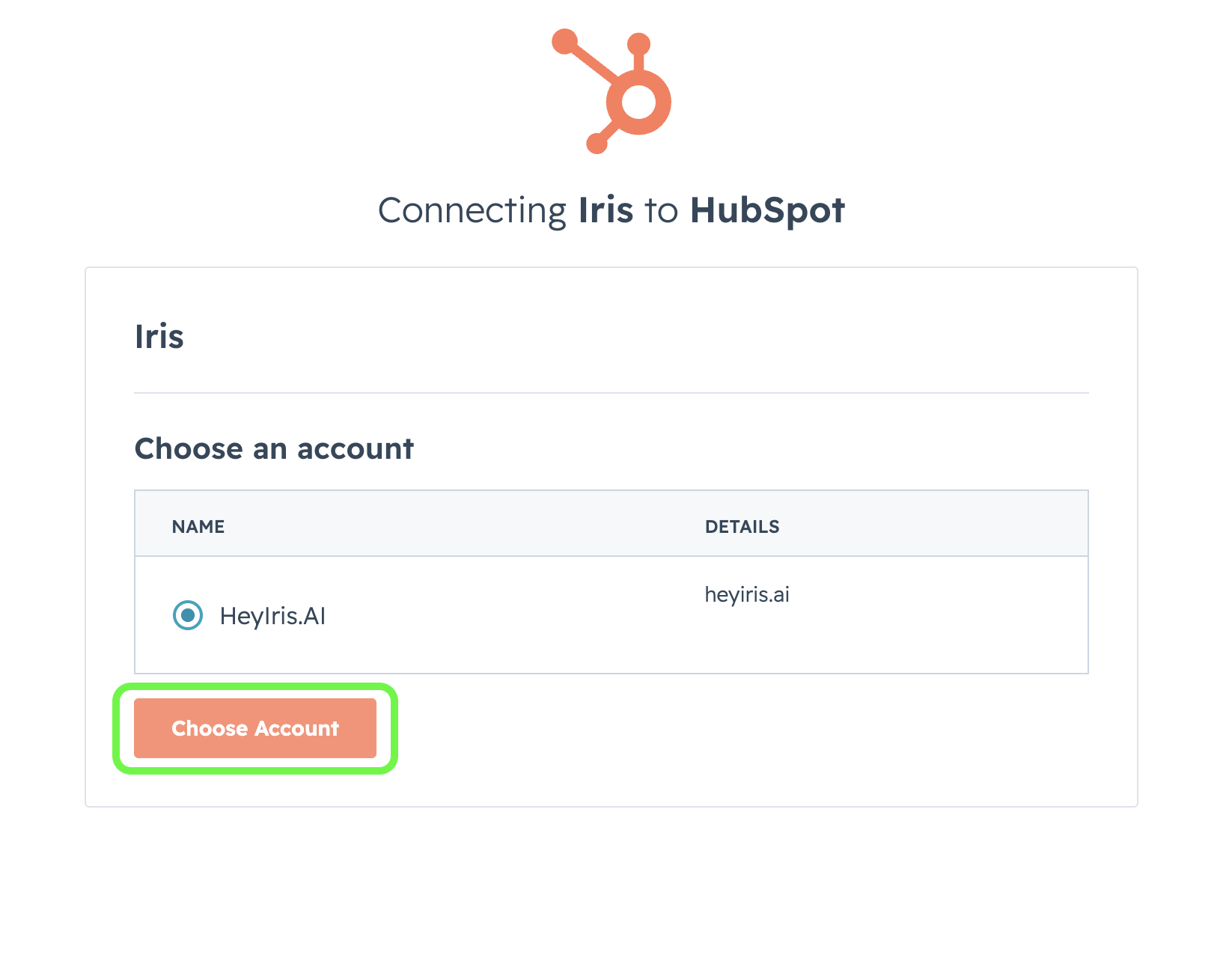
4. You'll be redirected back to Iris automatically. The HubSpot card will now show a Connected status.
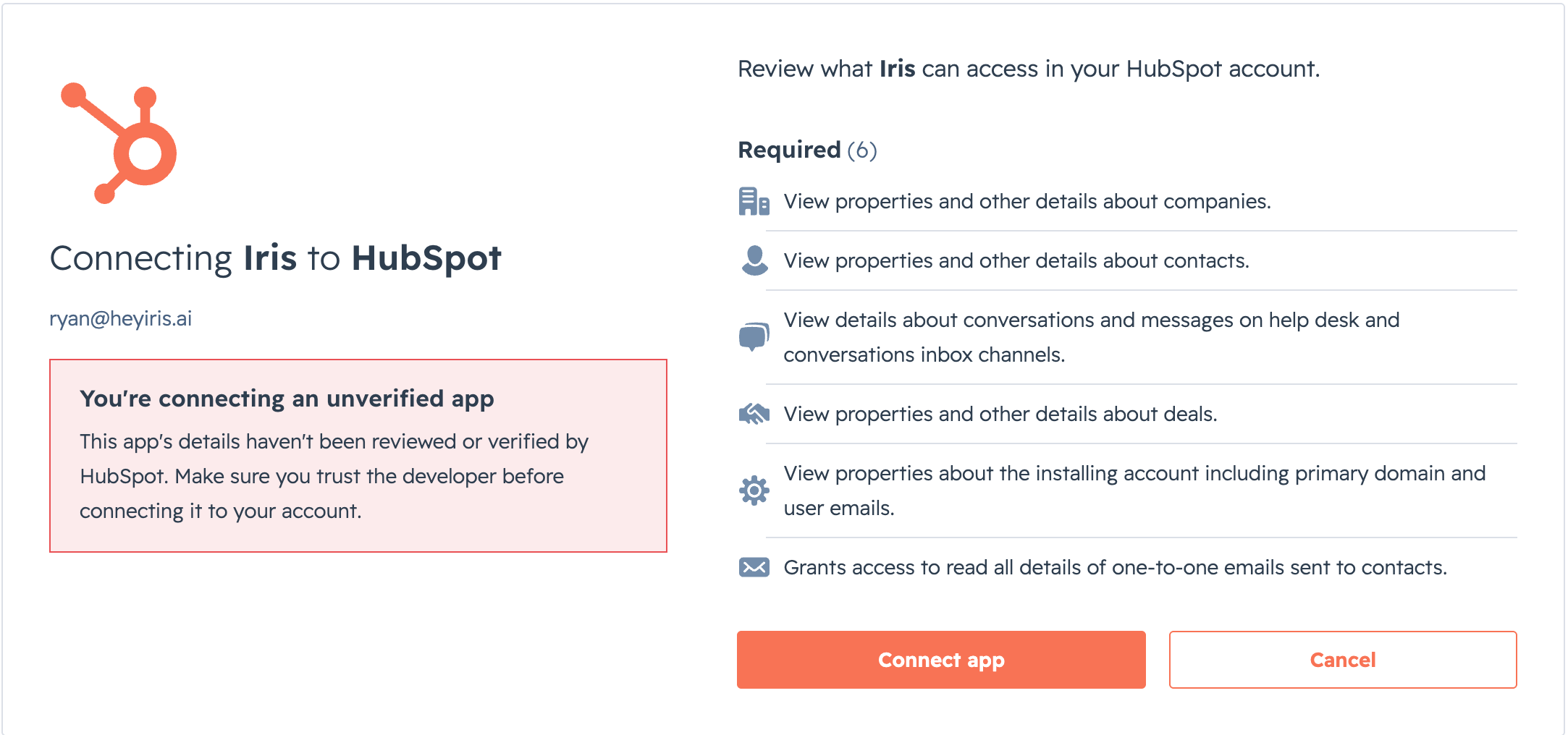
Note: Iris requests read-only scopes for deals, contacts, companies, sales emails, and conversations. If your HubSpot admin restricts app installs, you may need IT approval before this step.
Step 2: Map Your Deal Fields
Field mapping tells Iris which HubSpot deal properties correspond to fields Iris uses, so information flows into your proposals correctly.
1. From Settings → Integrations, open HubSpot Mapping
2. For each Iris field, choose the matching HubSpot deal property from the dropdown. Available properties are pulled live from your connected portal.
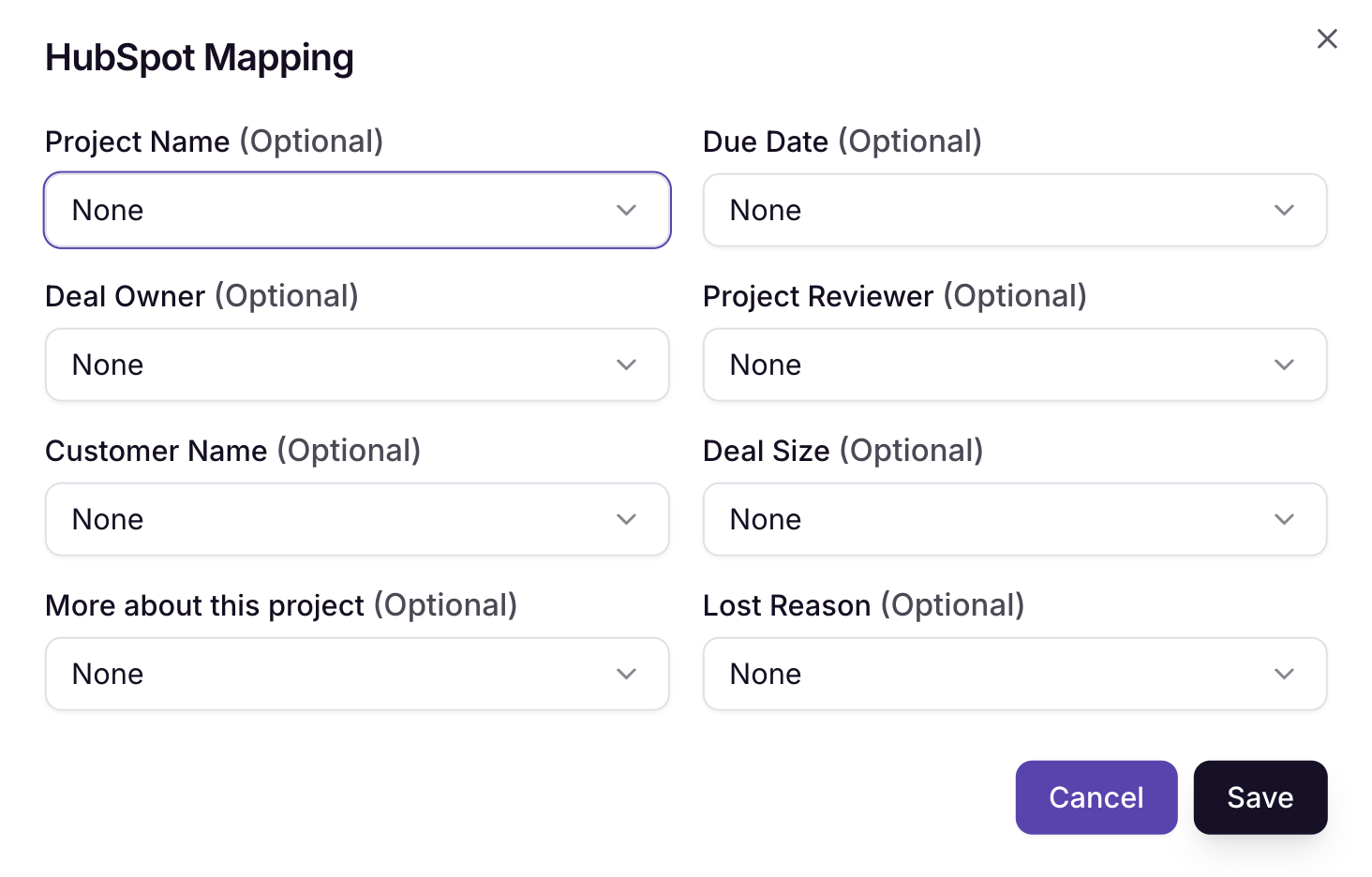
3. Click Save once you've mapped the fields you need. You can return to this page any time to adjust the mapping.
Step 3: Link a HubSpot Deal to an Iris Project
Once connected and mapped, you can link any Iris project to a HubSpot deal to pull in deal context.
1. Open the project you'd like to link (or create a new one).
2. In the 'More Actions' panel, click Link Hubspot Deal
3. Search for the deal by name
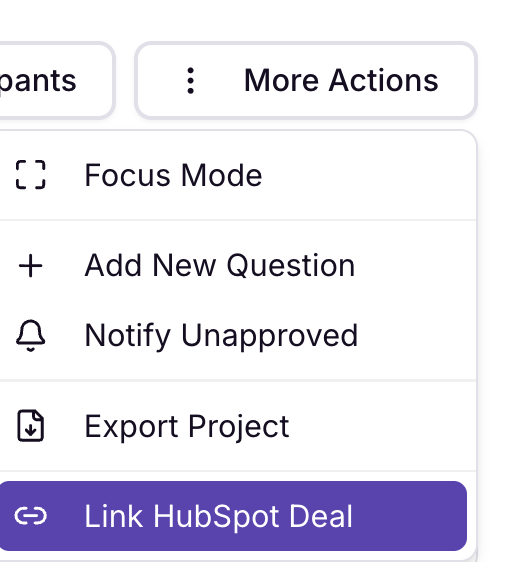
4. Select the deal and click Link. The project will show a linked badge, and your mapped fields, company details, and contacts will populate automatically.
Note: A deal can only be linked to one project at a time, and a project can only be linked to one CRM record (Salesforce or HubSpot). To relink, unlink the existing connection first.
Frequently Asked Questions
Can I connect both Salesforce and HubSpot?
Yes, both integrations can be connected in your Iris account at the same time. However, each individual Iris project can only be linked to one CRM record — either a Salesforce opportunity or a HubSpot deal, not both.
What HubSpot data does Iris access?
Iris requests read-only access to deals, contacts, companies, sales emails, and conversations associated with a linked deal. Iris never writes back to your HubSpot data.
What happens if I unlink a deal?
Unlinking removes the connection between the project and the deal. The project itself, and any content already generated in Iris, is not deleted.
Who can connect or disconnect the integration?
Connecting or disconnecting HubSpot at the organization level requires an Iris admin role. Any user can link or unlink individual deals on projects they have access to.
Need Help?
If you run into any issues connecting HubSpot, reach out to your Iris account team or email support@heyiris.ai and we'll help you get set up.