Templates
Last updated: March 25, 2026
Iris allows you to create and use custom export templates for your RFPs and security questionnaires. With export templates, you can define headers, footers, font styles, font sizes, colors, and even include additional content like an executive summary or table of contents. Here’s how you can manage and use templates in Iris.
Creating an Export Template
Prepare Your Template
Ensure your template includes all desired elements, such as:
Company branding (logos, contact details, etc.)
Predefined headers, footers, page numbers, etc.
Placeholder sections for the executive summary, table of contents, and other recurring elements.
A sample RFP template is available for download below.
Save your template as a
.docor.docxfile for compatibility.
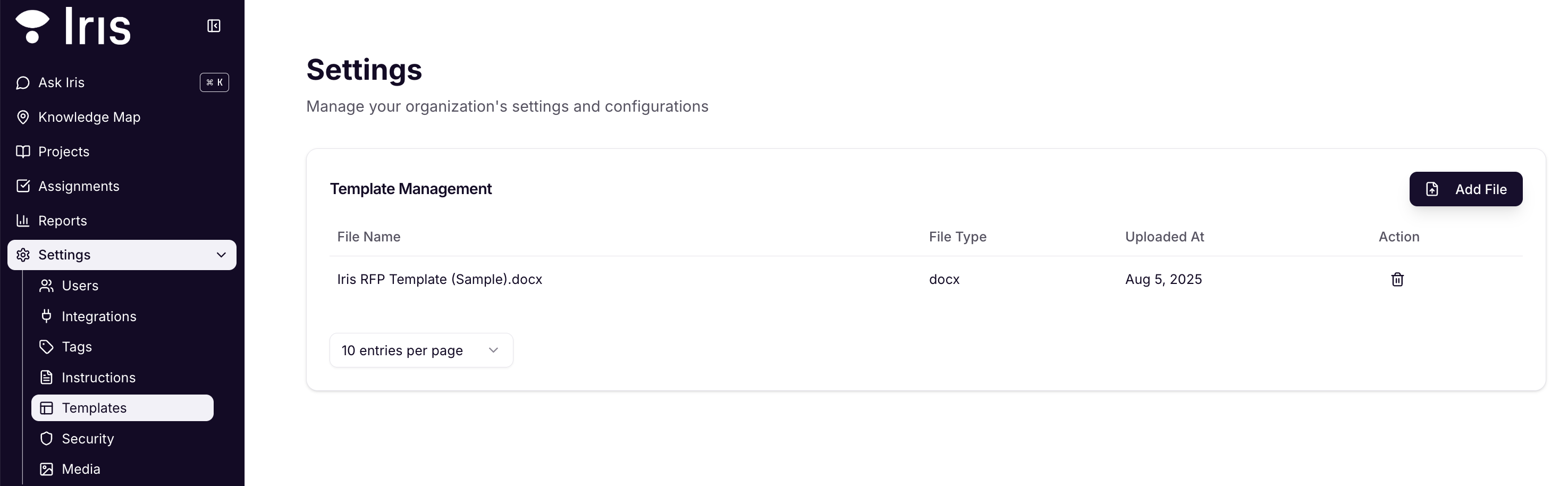
Navigate to Settings > Templates
Upload Your Template
Once your file is ready, select Add File, drag and drop your file, and select Add
Your uploaded template will appear in the Template Management list, where you can manage or delete it as needed.
Using a Template When Exporting
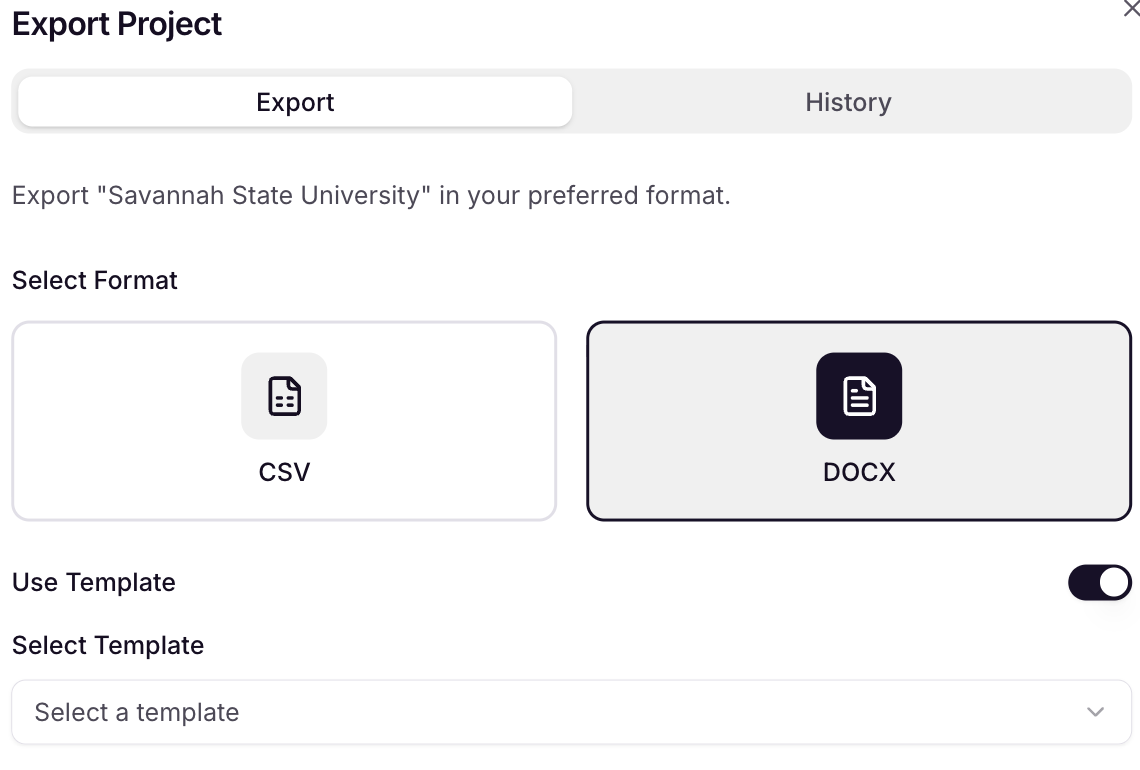
Navigate to your project and select More Actions (Three Dots) button, then select Export.
Select
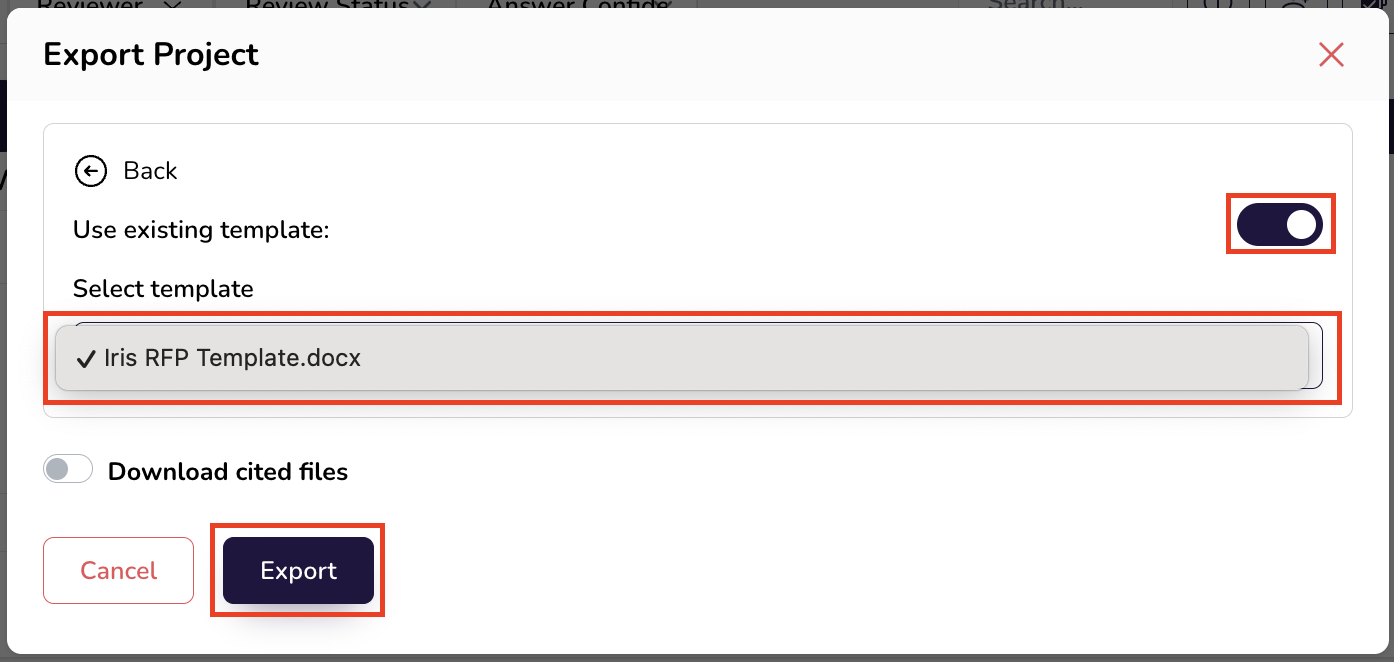
.docxToggle on Use existing template.
Choose your desired template.
Click Preview Export and you will be taken to a Preview page to view how the project is populating in your template. If any further formatting is required, you can do so directly in the preview page.
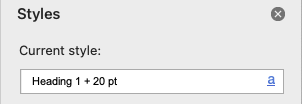
Styles Pane Guide:
Here's which styles to use in your template and how they correspond with each Iris element:
Names of Sections: Heading 1
Question Text: Heading 2
Answer Text: Normal
Note: If you delete a template from Template Management, it will no longer be available for future exports. Ensure that your team is aligned before removing shared templates.
By leveraging export templates, you can standardize your RFPs and questionnaires, saving time and ensuring consistency across your projects.