Iris Release Notes: September 29, 2026 🚀
Last updated: September 29, 2026
This release brings a major upgrade to DOCX staging, support for multiple files in RFP Analyzer, and more accurate Go/No-Go results.
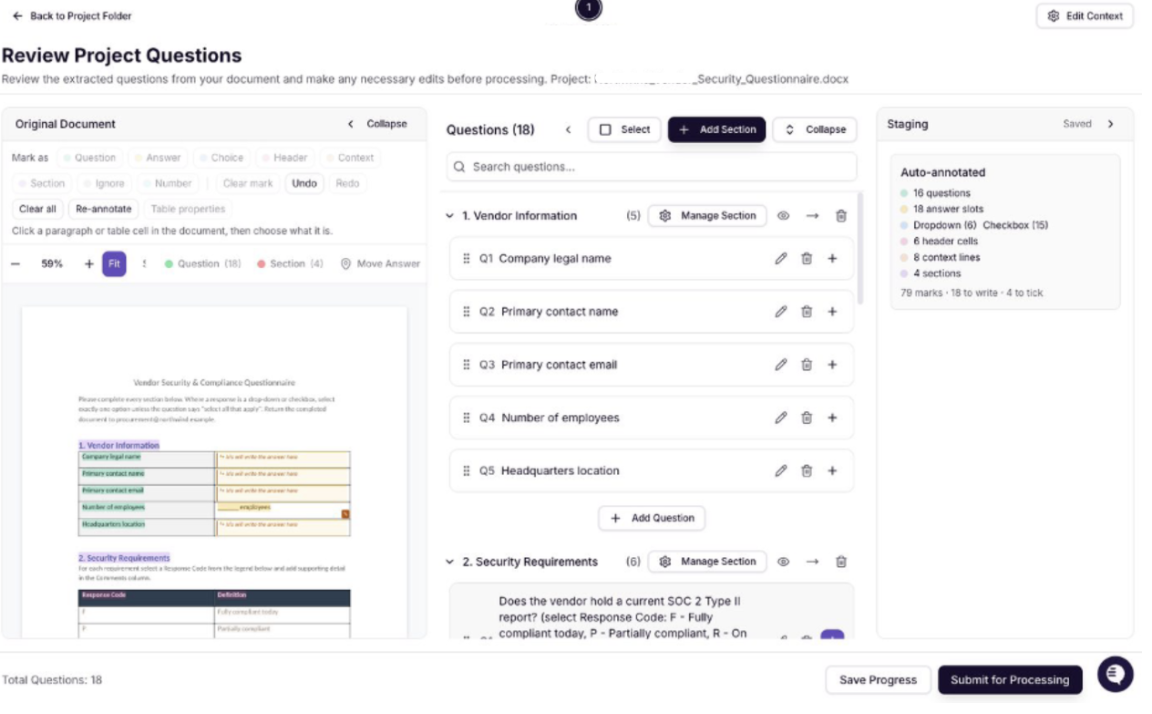
Improved DOCX staging
DOCX staging now handles tables and form controls more accurately. It also supports native Word export and lets you re-stage existing projects. Question order and answer placement are preserved on export. For the full walkthrough, see Docx staging in Iris.
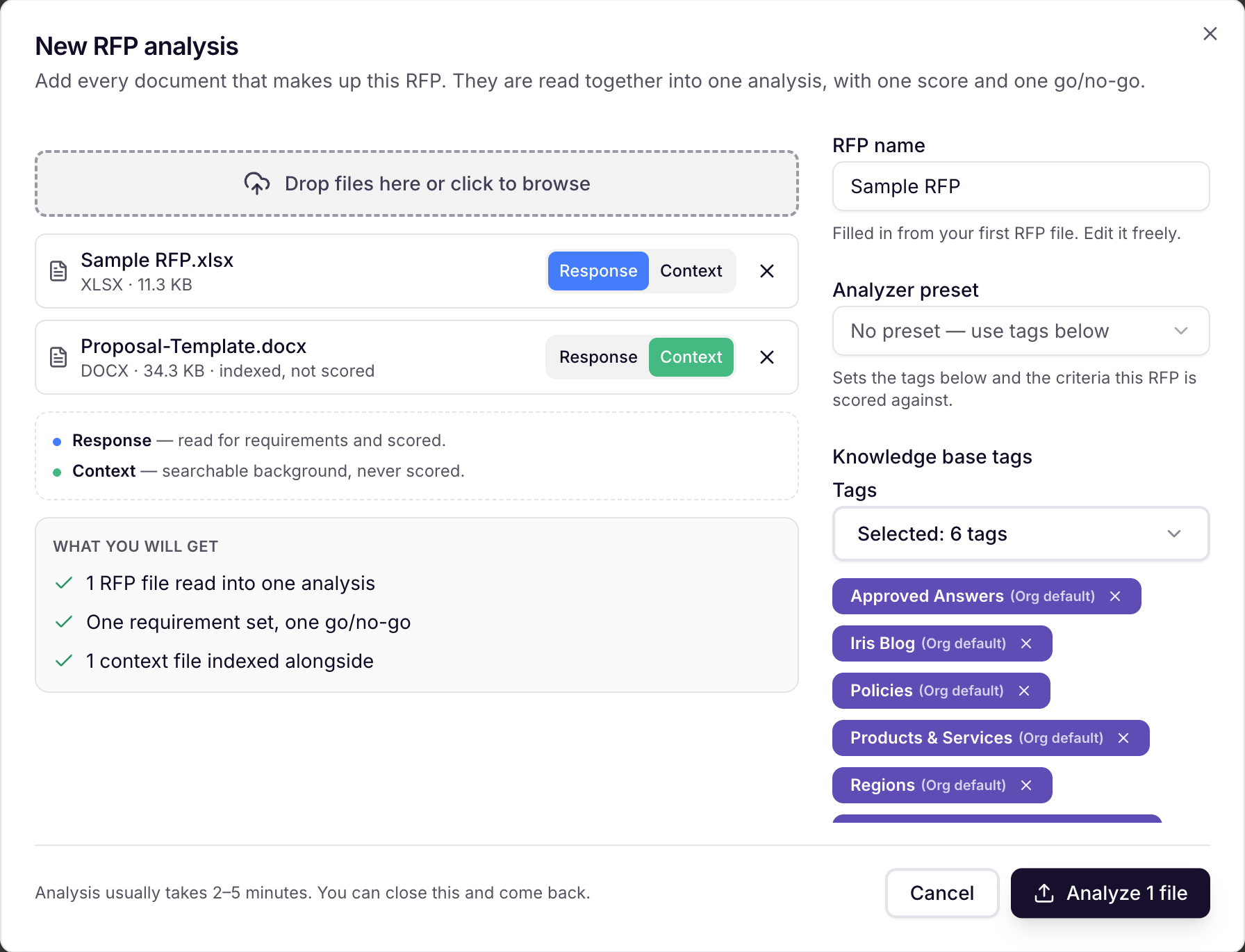
Analyze multiple RFP files in one project
When you create an RFP Analyzer project, you can now select more than one source file, such as a main RFP and its attachments. Iris analyzes the files together, so your summary, scorecard, and Go/No-Go reflect the full package.
Platform Enhancements
Turn Ask Iris findings into a PowerPoint deck
Ask Iris can now create a downloadable PowerPoint deck from its findings. Iris asks you to confirm before it builds the deck, and you don't need a proposal or source document. This feature requires Agentic AI to be turned on for your workspace, so reach out to your CSM to enable it.
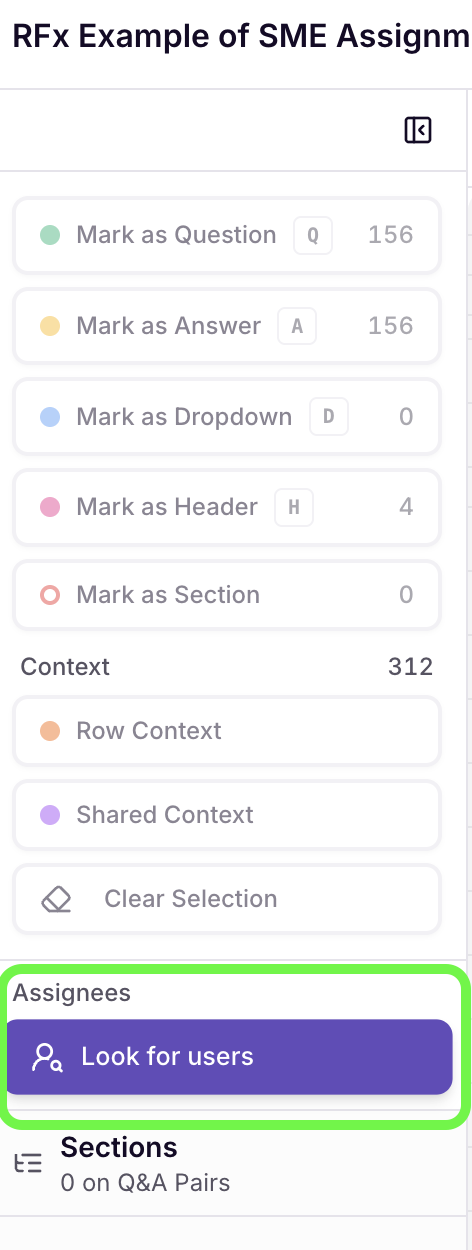
Auto-assign Excel questions from an assignee column
If an Excel RFP includes an assignee column, Iris can match those names to users in your workspace and assign questions automatically. Names Iris can't match with confidence are flagged for you to resolve. This feature requires Excel Staging v2 to be turned on for your workspace, so reach out to your CSM to enable it.
AI & Accuracy Improvements
Clearer Go/No-Go results when evidence is limited
Sometimes Iris reviews a criterion but can't find enough evidence to judge it. Those criteria now get their own status, separate from a confirmed red flag and from criteria that haven't been evaluated yet. They no longer disqualify an RFP on their own.
Bug Fixes
Answer generation with curly braces: Answers no longer fail to generate when question context or project files contain
{or}.