Sharepoint
Last updated: August 26, 2026
SharePoint Integration with Iris
Overview
Integrating Iris with SharePoint enables seamless collaboration and document management. Iris reads your RFPs, Security Questionnaires, and other documents directly from SharePoint into its Knowledge Base, so your team can find and reuse that content without leaving Iris. This connection is one-way: Iris imports content from SharePoint, but it never uploads, edits, or writes anything back to SharePoint.
Through this integration, Iris can access SharePoint document libraries and files only. It cannot access Outlook email, Teams messages, or any other Microsoft 365 data.
Iris can also only see what you let it see: its access is defined entirely by the permissions of the Microsoft account used to connect. Your IT team stays in control at all times — see Controlling What Iris Can Access below.
Setting Up SharePoint Integration
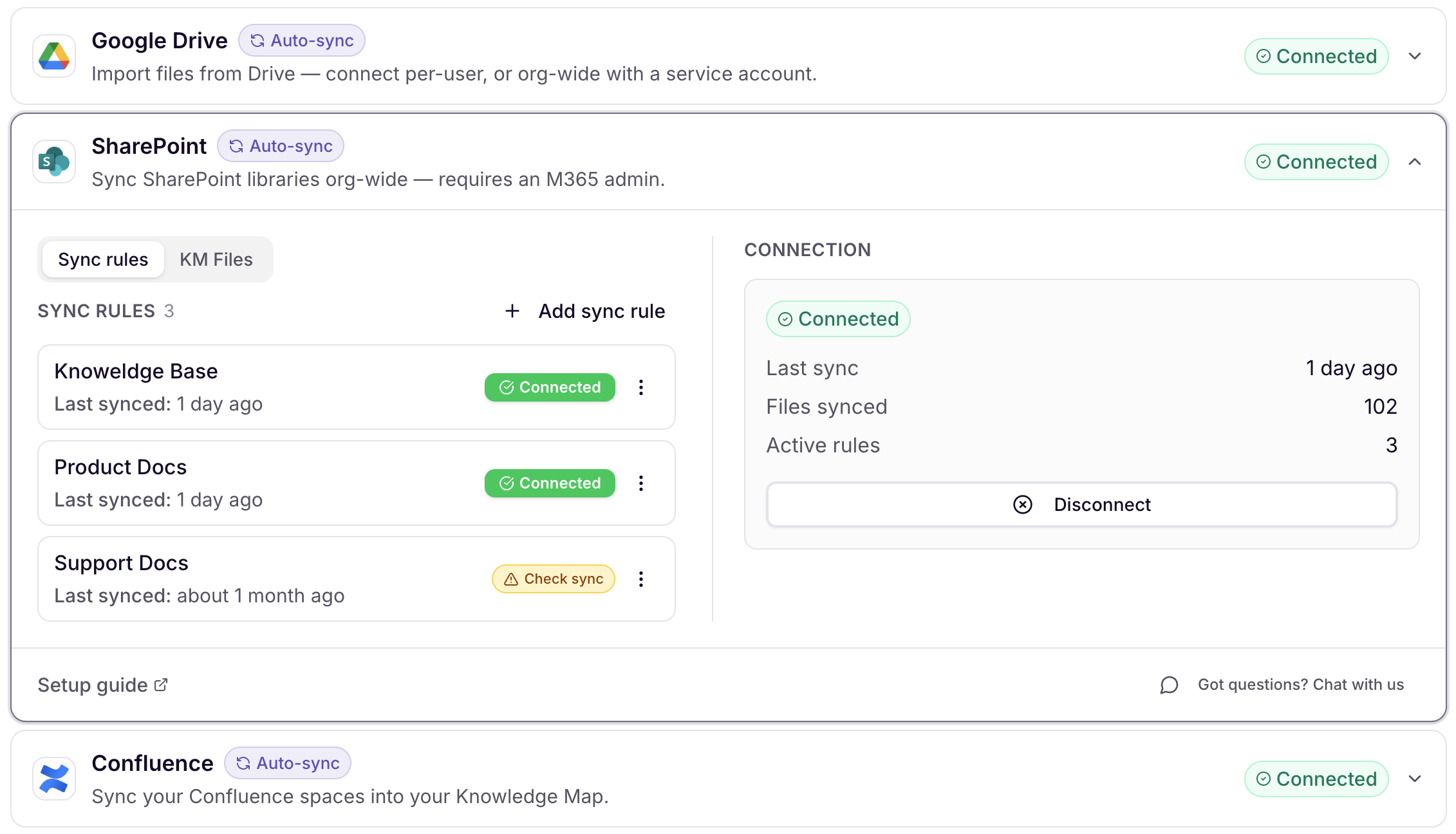
Note: Connecting, reconnecting, or disconnecting SharePoint can only be done by an organization admin. This is a single, shared connection for your entire organization — it isn't something each individual user sets up on their own.
Within Settings > Integrations, open the SharePoint integration.
Enter Tenant ID and click Connect.
See Microsoft documentation for how to find your Microsoft Tenant ID.)
Authenticate with Microsoft:
You will be redirected to a Microsoft login page.
Sign in with the Microsoft account you want Iris to connect through.
The account you choose here determines exactly what Iris can access. Iris will only ever see the folders and files this account has permission to see. Once connected, you'll choose the specific files or folders you want Iris to add to your Knowledge Map and whether or not to keep them in sync.
To limit Iris to specific folders, sign in with a service account scoped to just those folders (see Controlling What Iris Can Access below).
Note: This connection is read-only — Iris can view and import files from SharePoint, but it never edits, deletes, or writes anything back to SharePoint.
Allow Iris the necessary permissions to access your SharePoint account.
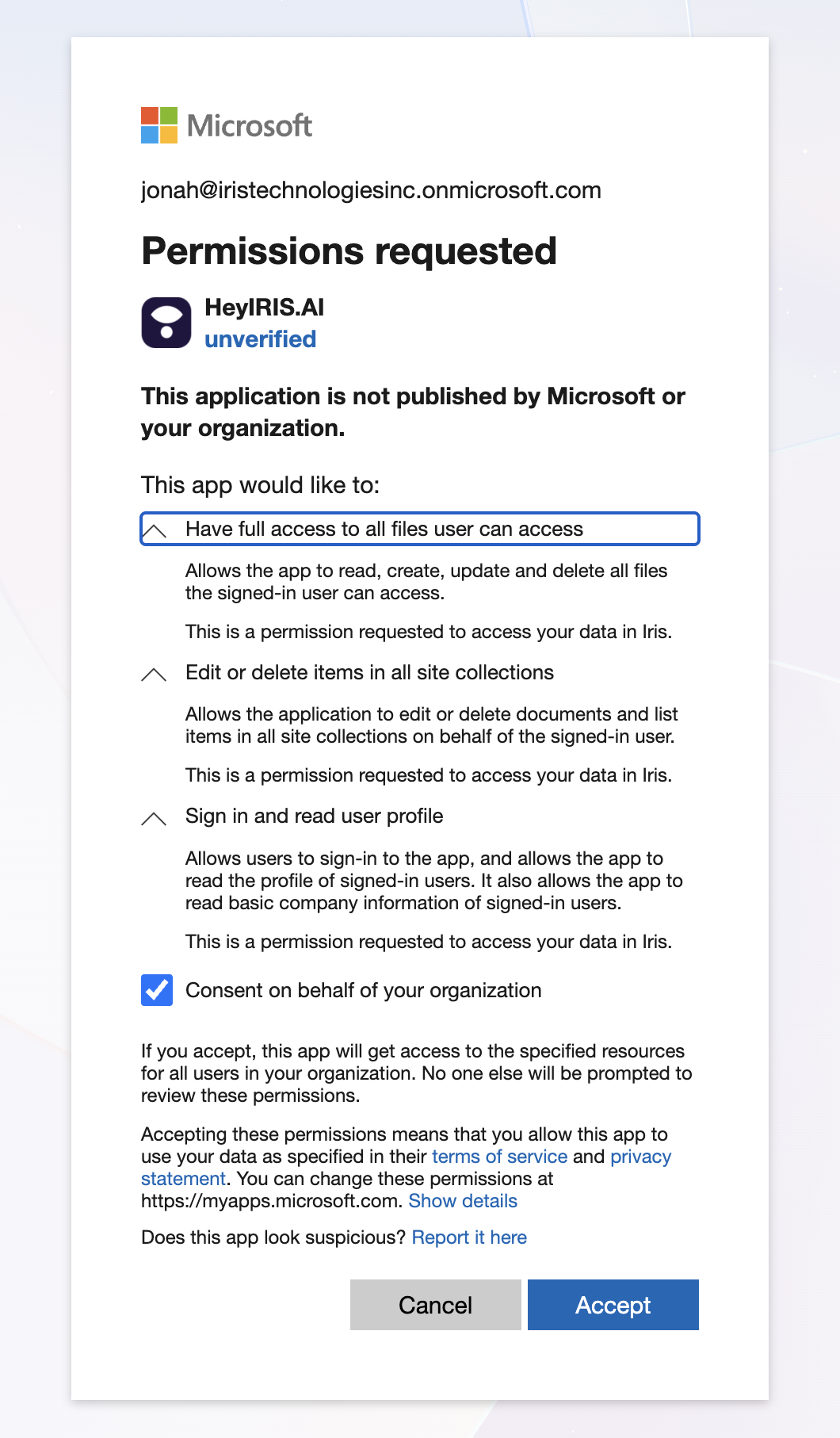
Ensure that your Microsoft account has the necessary permissions to grant access to SharePoint folders. Edit access is required to copy files into your Knowledge Map. Iris never edits, deletes, or writes anything back to SharePoint. Once connected, the integration card is Settings > Integrations shows the email of the connected Microsoft account, so it's always clear which account is in use.
Using SharePoint in Iris
Supported file types: Iris can import the following file types from SharePoint:
PDF
Word (.doc/.docx)
PowerPoint (.ppt/.pptx)
Excel (.xlsx)
CSV
Plain text (.txt)
Markdown (.md)
Automatic Sync
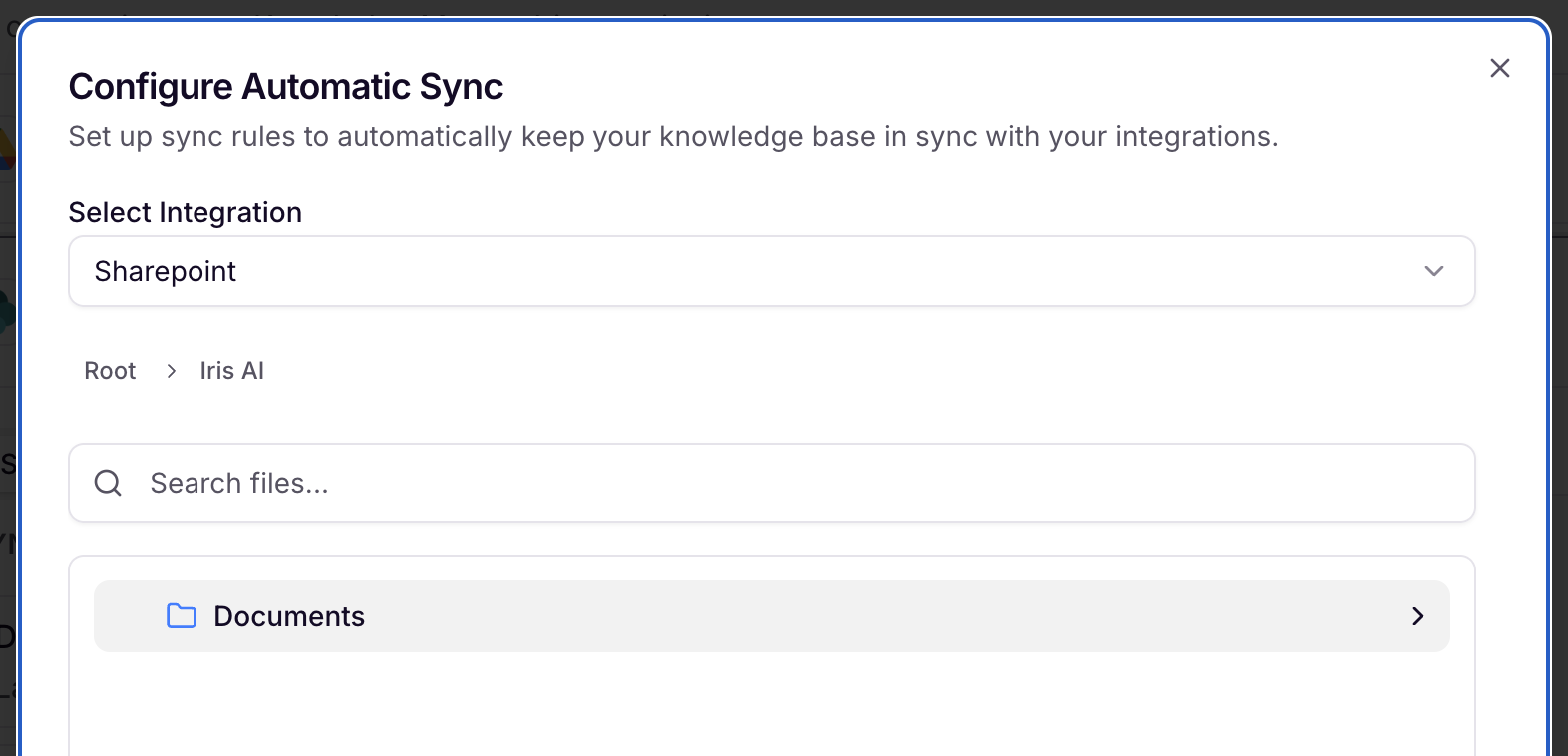
To pick SharePoint pages for Iris to automatically sync with, read our Sync Rules (integrations) Article.
Note: If SharePoint is disconnected, Sync will pause and you will not be able to add new files into the Knowledge Map until it's reconnected. Documents that have already been imported into Iris are still live and used.
One Time Pull
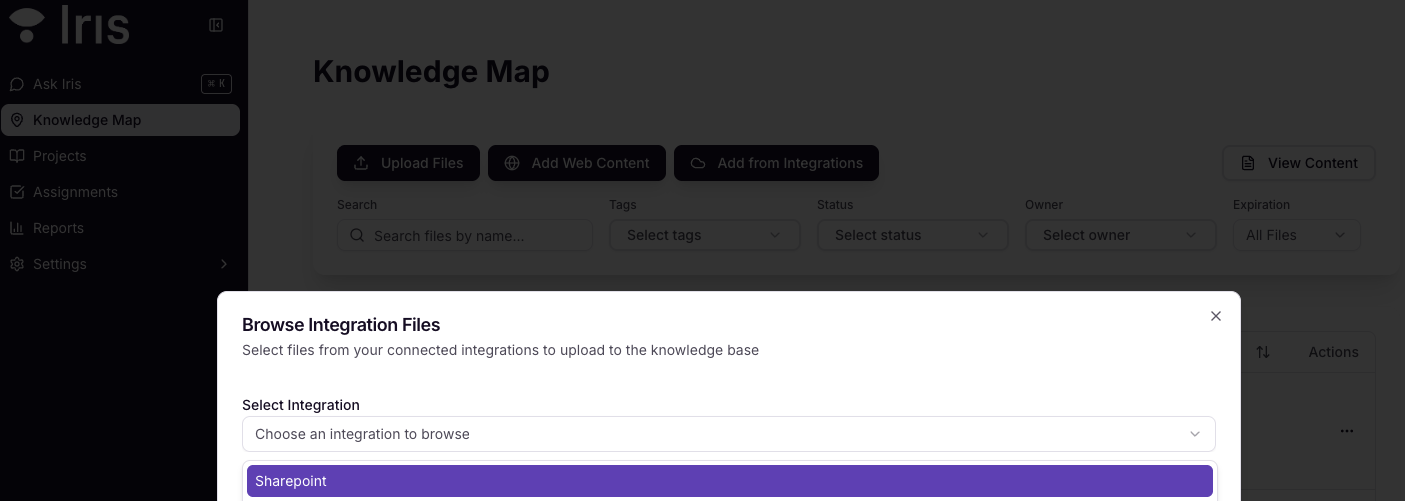
Within your Knowledge Map File Manager, select Add from Integrations.
Select SharePoint from the dropdown.
Browse your connected folders and select the desired documents. Search looks across every folder nested inside the one you're in, and searches for the whole phrase you type instead of just a single word.
Apply relevant tags.
Hit Submit to bring the file into Iris for processing.
Controlling What Iris Can Access
Iris's SharePoint access always mirrors the permissions of the Microsoft account that signs in during setup. When your team browses SharePoint from inside Iris, the only sites, folders, and files that appear are the ones that account can access.
This means your IT team can scope Iris to exactly the content you want to share:
Create a dedicated service account in your Microsoft tenant (for example, iris-connector@yourcompany.com).
Grant it read access to only the folder(s) you want available in Iris — one folder, one document library, or any set you choose.
Connect Iris using that service account (steps below). From that point on, only those folders appear anywhere in Iris — in the file browser, in one-time imports, and in Sync Rules.
FAQs
Can I connect multiple SharePoint accounts to Iris?
Currently, Iris supports one SharePoint account at a time. To switch accounts, disconnect and reconnect, when you reconnect, Iris will prompt you to choose which Microsoft account to use rather than automatically reusing whatever account is signed in on your browser.
Are SharePoint subfolders accessible in Iris?
Yes, all subfolders within a connected folder are accessible unless restricted by permissions.
Does Iris sync changes made in SharePoint?
Yes! More info in our Sync Rules (integrations) Article.
Does Iris capture SharePoint Lists?
No, currently we only capture Document Libraries.
Who can set up or change the SharePoint connection?
Only an organization admin can connect, reconnect, or disconnect SharePoint. It's a single connection shared by your whole organization, rather than something each user configures individually.
What happens if we disconnect SharePoint?
Iris's access to SharePoint stops immediately — the disconnection isn't graceful, so any active sync rules will stop working right away. However, documents that Iris has already imported are not removed; they remain in your Knowledge Base and stay fully usable.
Can Iris make changes to our SharePoint content?
No. The SharePoint connection is read-only. Iris can view and import files, but it never edits, deletes, or writes anything back to SharePoint.
What happens when an imported document reaches its expiration date?
Iris sends a reminder email and adds an "expired" badge to the document in the Knowledge Map. The document is not automatically removed from search or citation — it stays fully usable until someone manually deletes it.
Can Iris access our email, Teams, or other Microsoft 365 data through this connection?
No. The SharePoint connection only gives Iris access to SharePoint document libraries and files. It does not provide access to Outlook email, Teams messages, or any other Microsoft 365 data.