Iris Release Notes — April 8, 2026
Last updated: April 8, 2026
Project Folders: Multiple Files, One Project
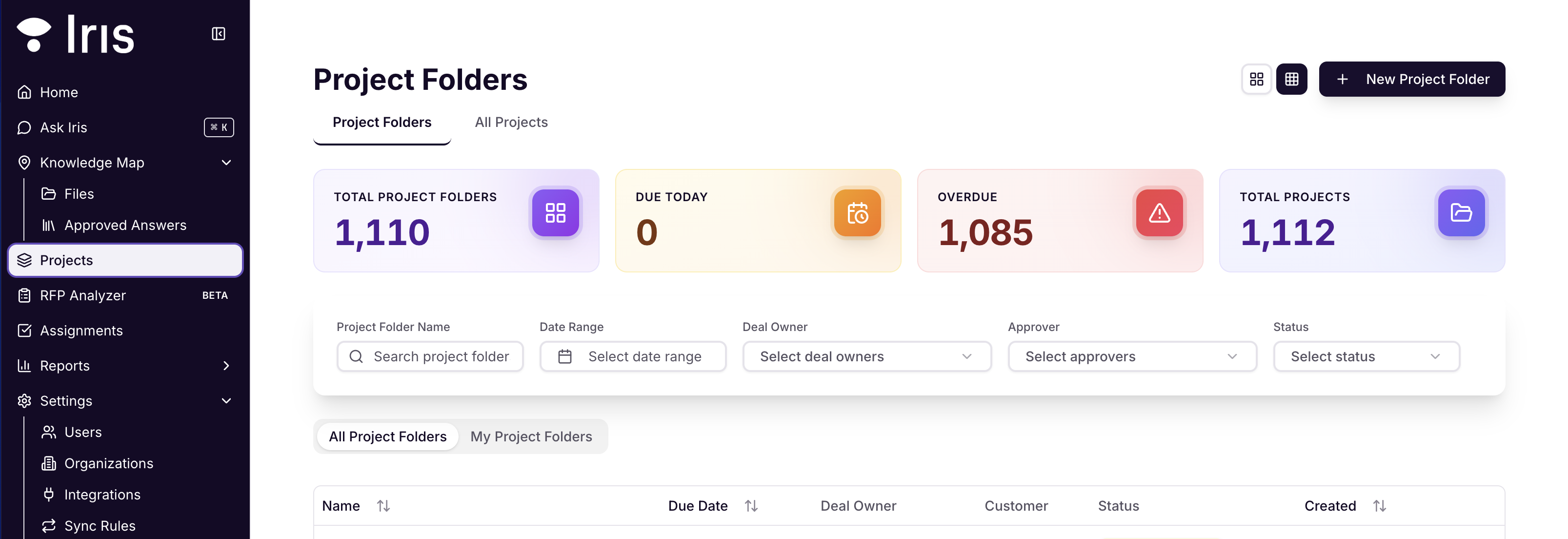
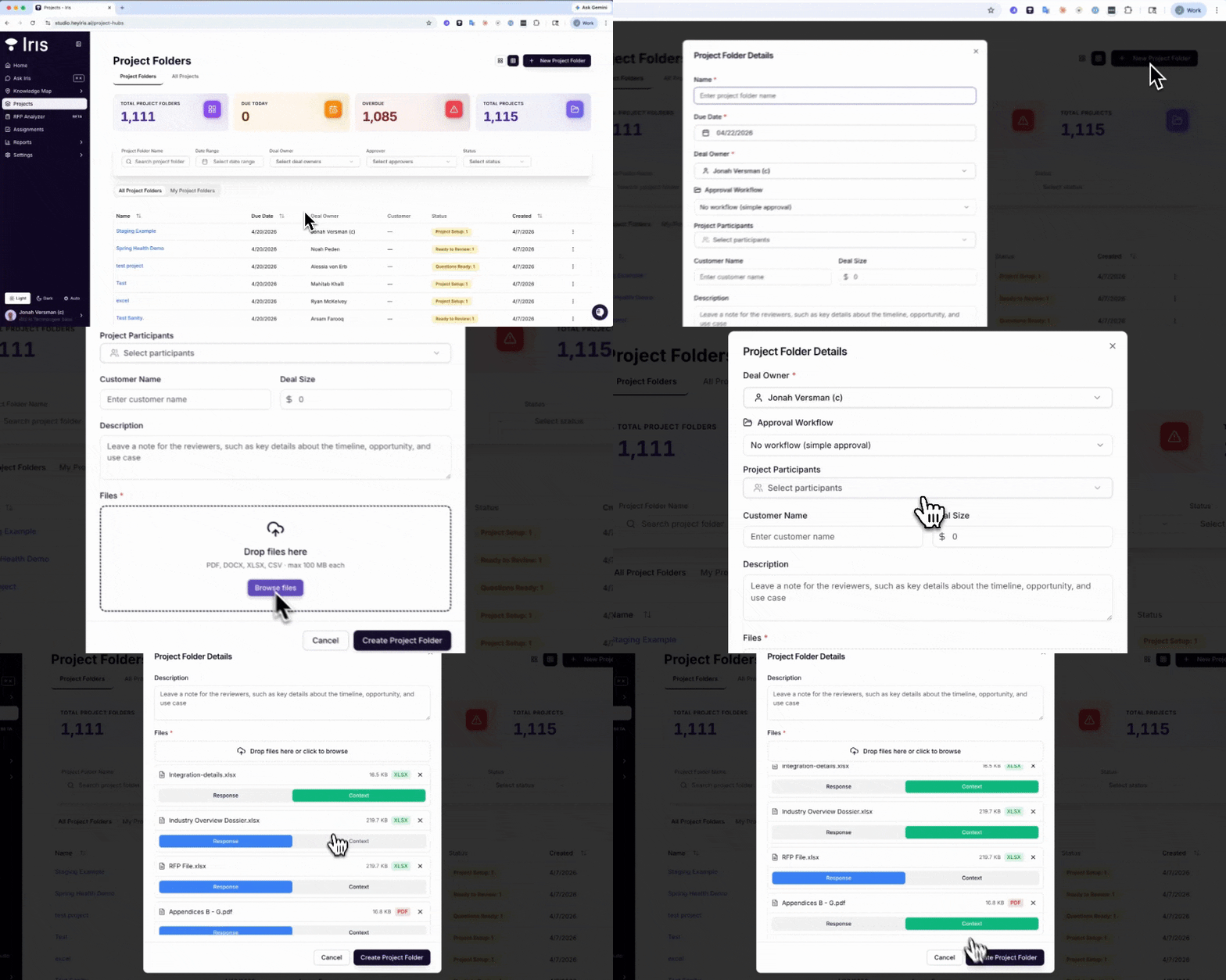
Remember staging projects with five separate files? Multi-File Project Folders let you upload several documents at once and stage them together. All your files serve as shared context for answer generation across the full staging → assignment flow — so Iris actually understands the full picture, not just the last thing you uploaded.
No more one-at-a-time. Just drop them in and go.
Learn more about Multi-File Projects →
Iris Understands Complex Excel Files
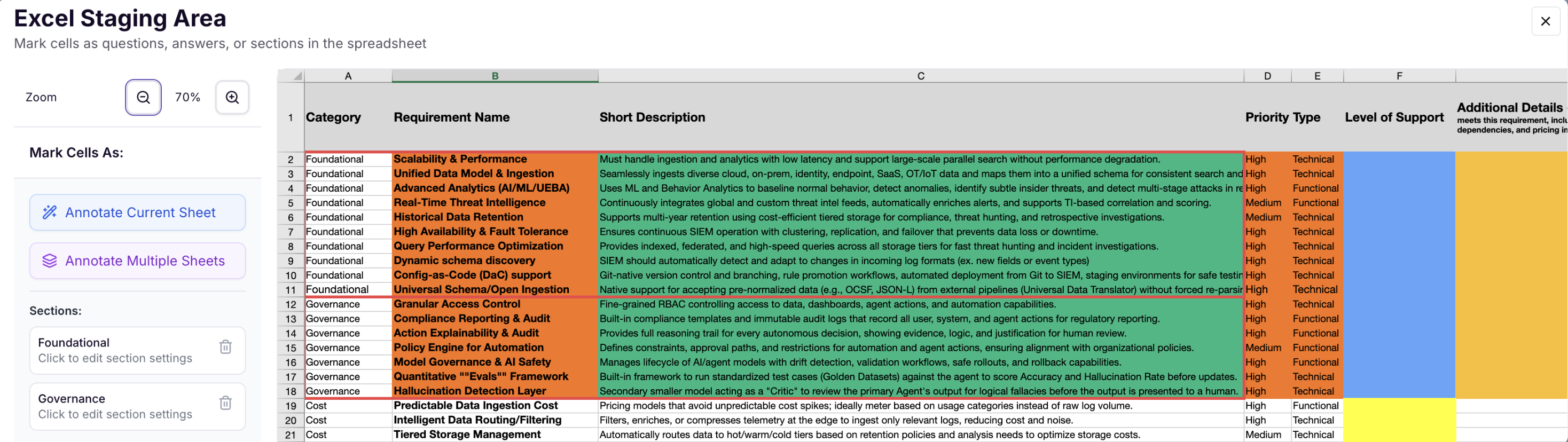
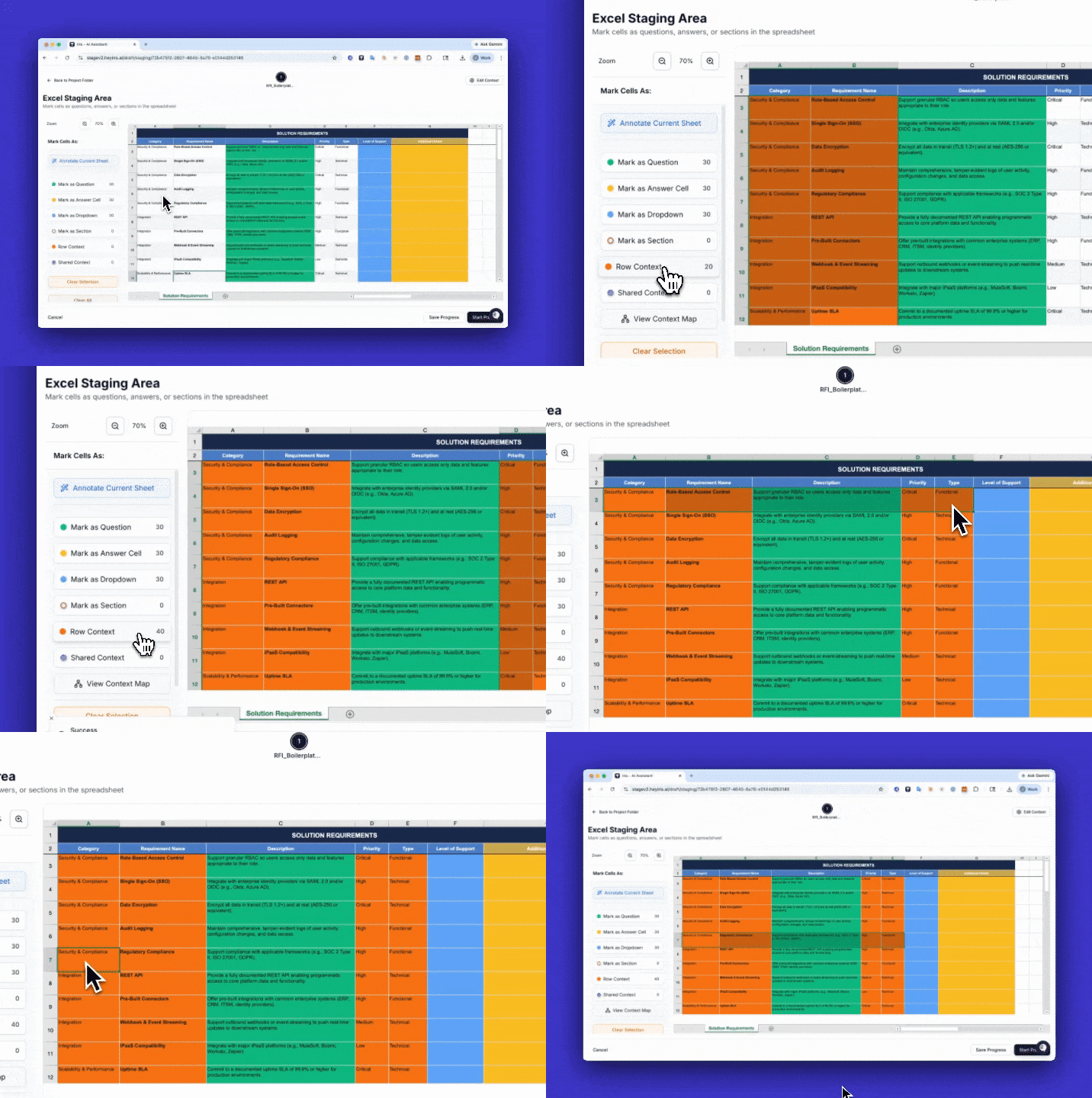
If you've ever watched Iris generate an answer from a messy spreadsheet and thought "that's not what that cell means" — this one's for you.
Excel Staging: Row Context lets you annotate cells as row-level context (specific to that row). The result: more accurate answers because Iris actually knows what kind of data it's working with.
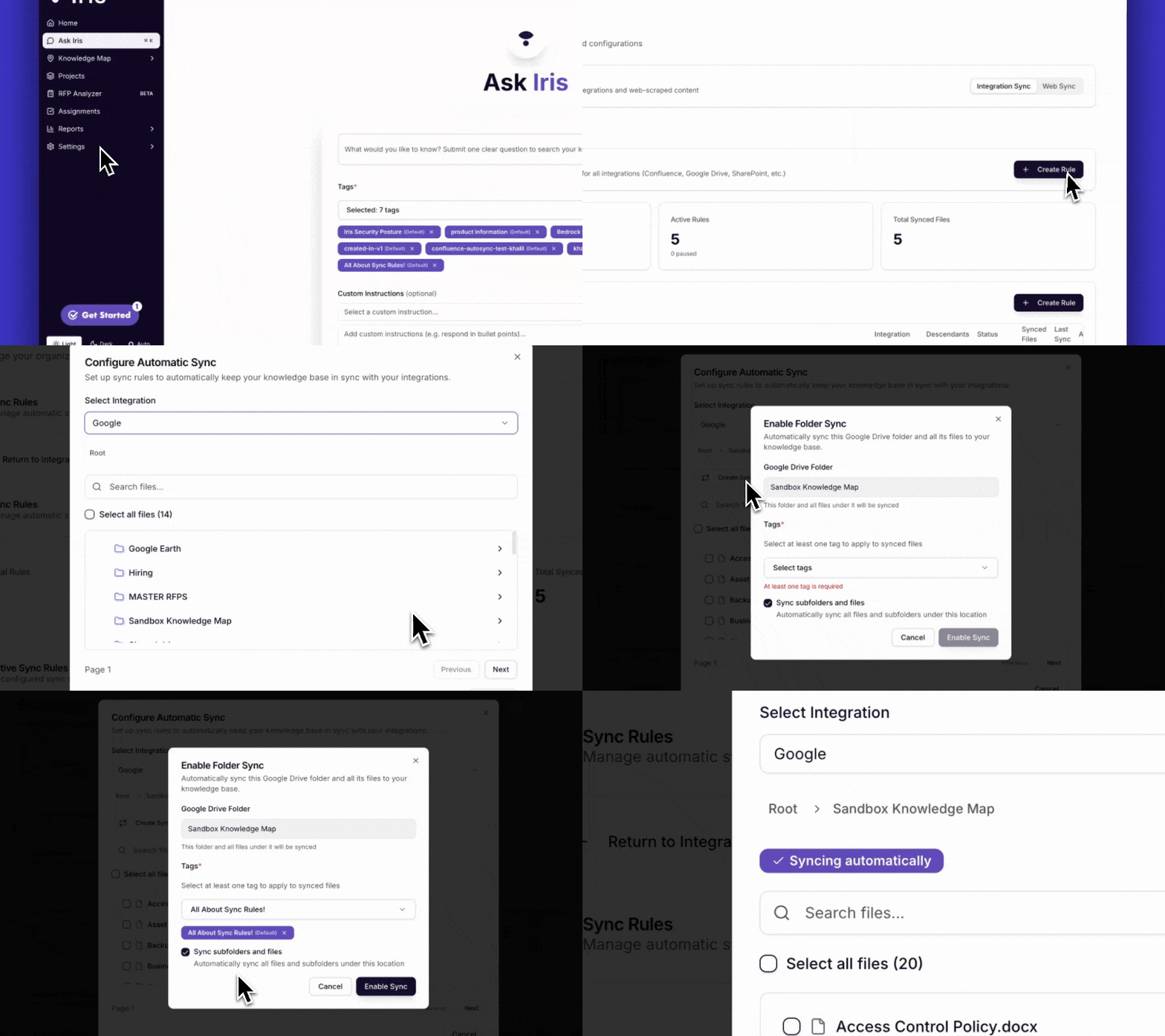
SharePoint joins AutoSync (alongside Google Drive, Confluence, and your support site)
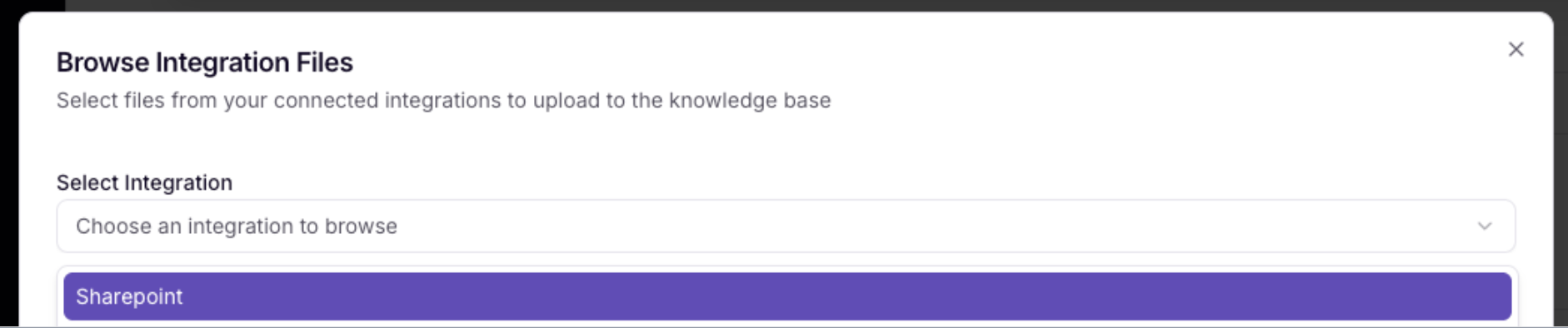
If your team lives in SharePoint, you've probably been copying files over manually before Iris can touch them. That step is gone now.
SharePoint Auto-Sync lets you browse your SharePoint libraries directly inside Iris and set up sync rules so your content stays current automatically. You can manage all your sync rules — Confluence, Google Drive, and now SharePoint — from one place: Settings → Sync Rules.
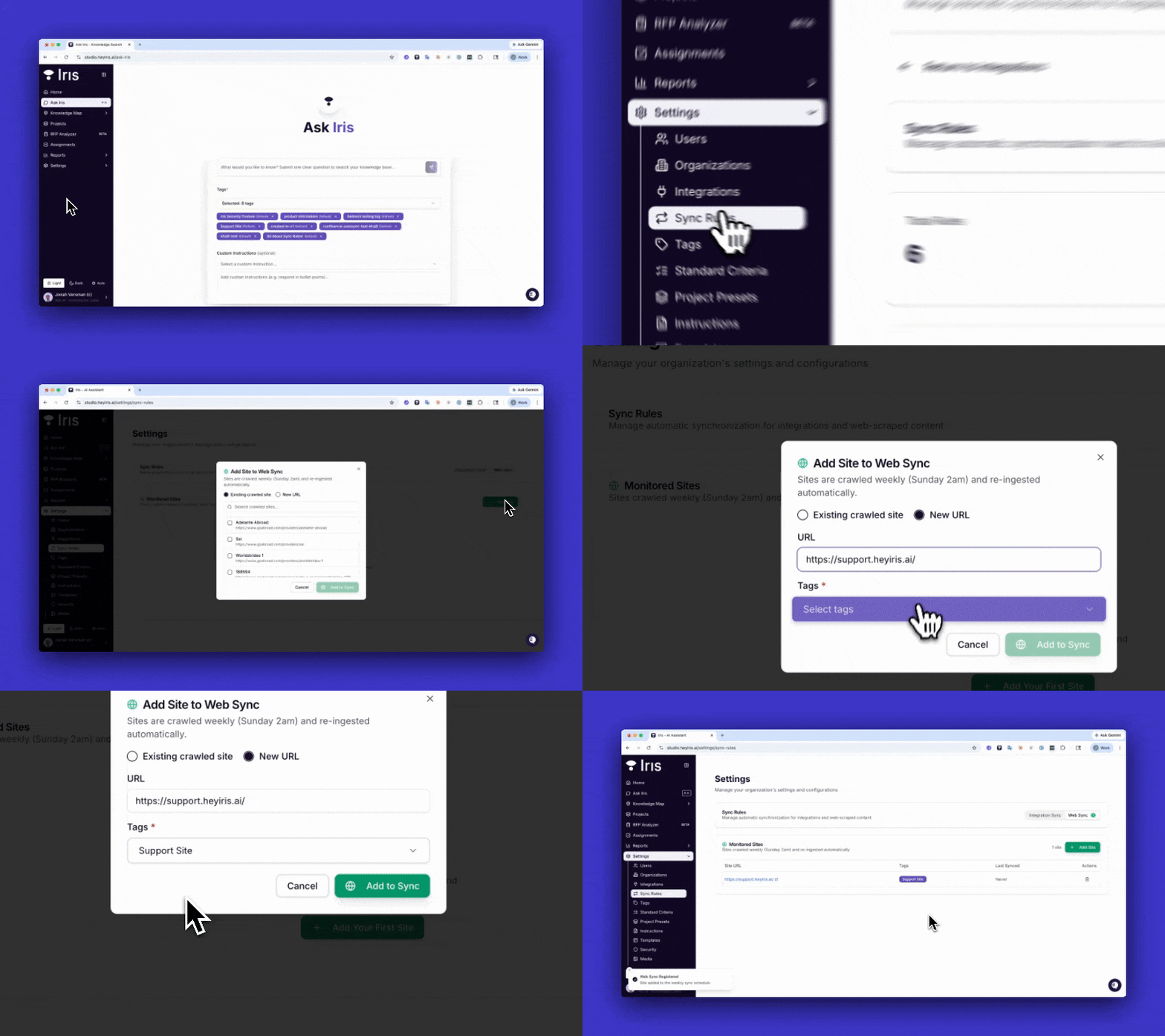
Your website content, automatically refreshed
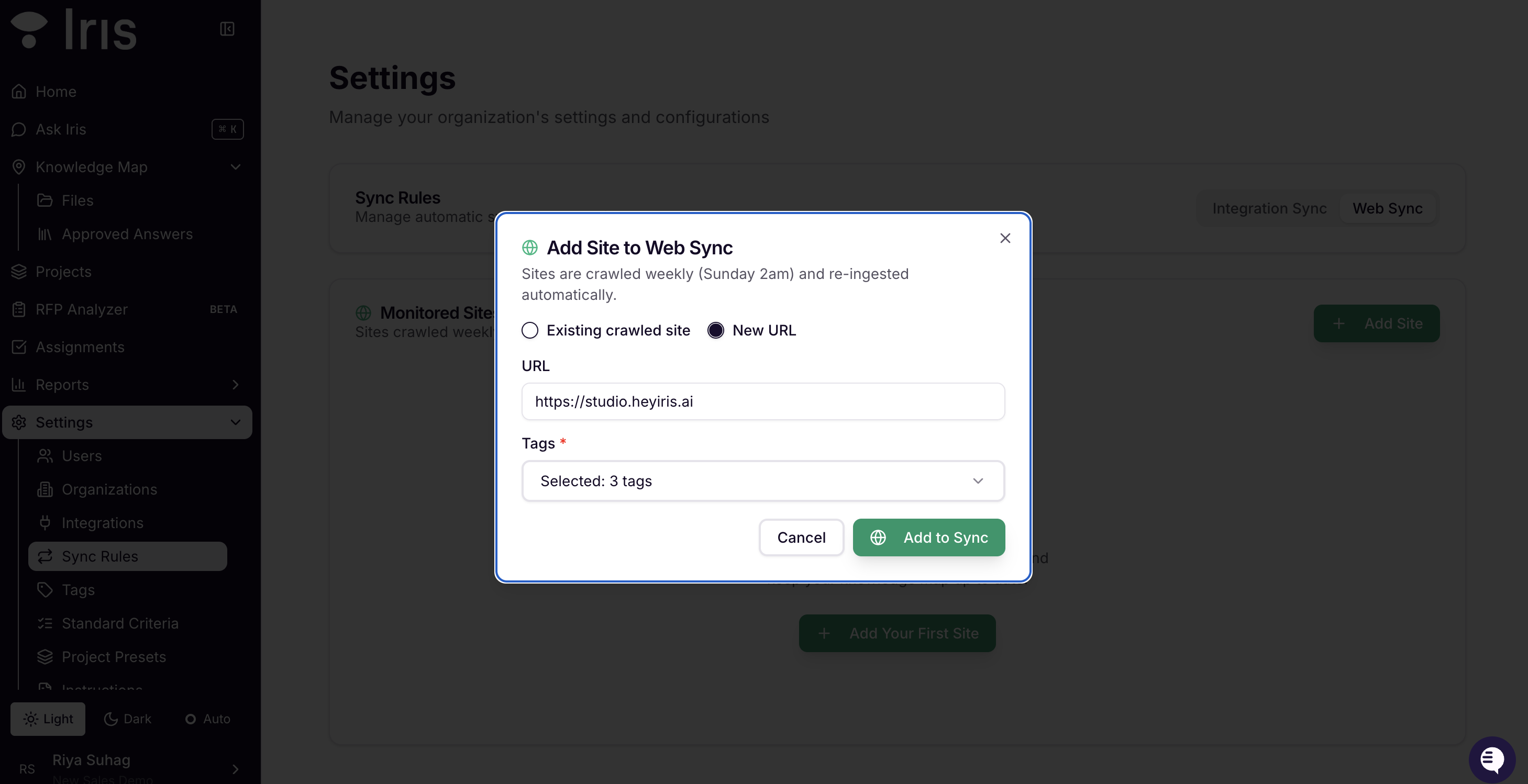
Setting up web-scraped content used to mean re-doing it yourself every time something changed on your site. Now Iris handles that for you.
Web Content Auto-Sync lets you define a web source as a sync rule once. After that, Iris re-scrapes and refreshes your knowledge base on a weekly schedule — no reminders, no manual re-imports.
Self-Service SSO Setup
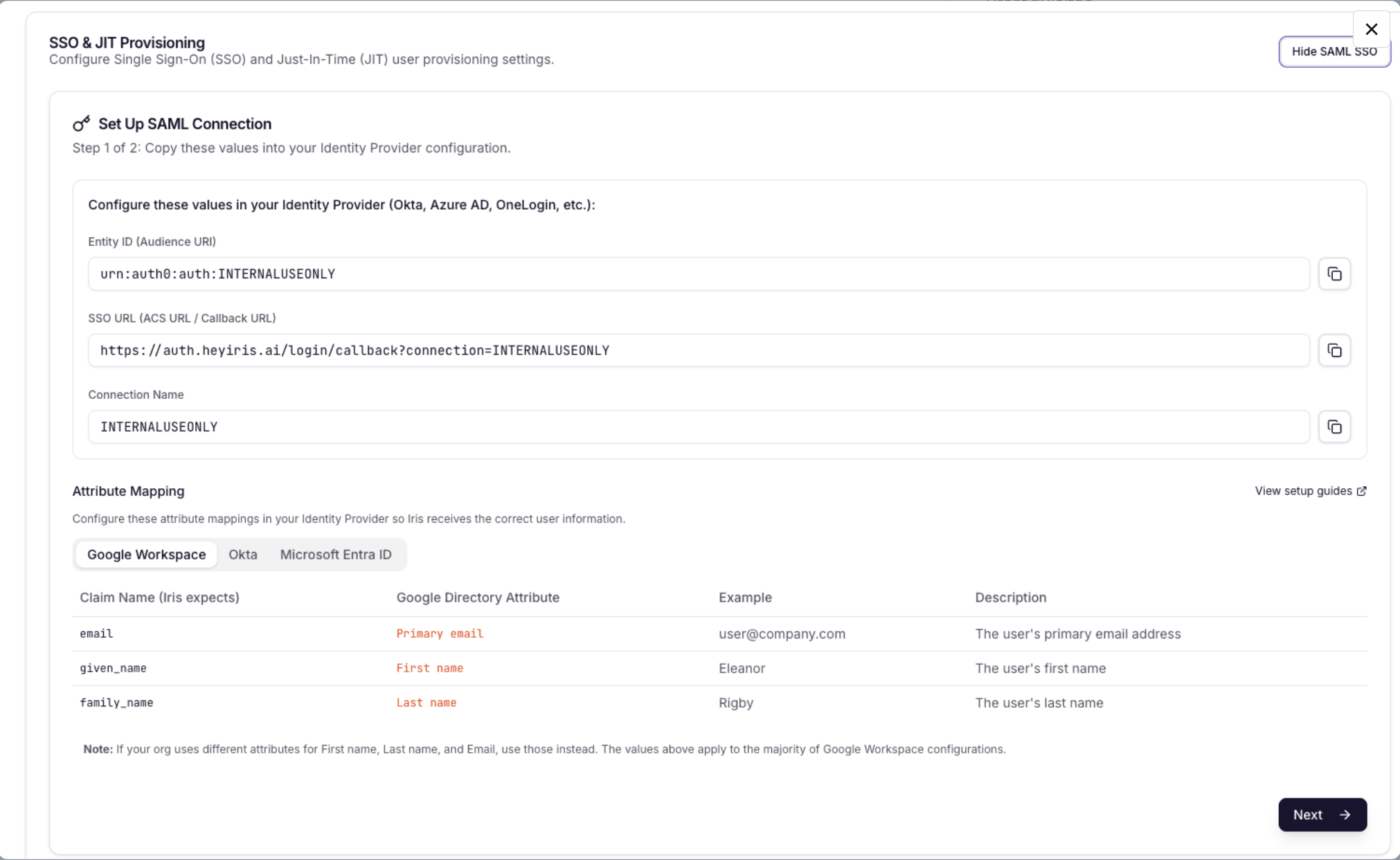
Before today, getting SAML SSO configured meant looping in the Iris team. If you've been through that back-and-forth, you know how much calendar space it consumed.
SSO Self-Service Setup puts org admins fully in charge. Create and manage your own SAML SSO connection from Settings → Security. No Iris team involvement needed.
Add Q&A pairs without uploading a file
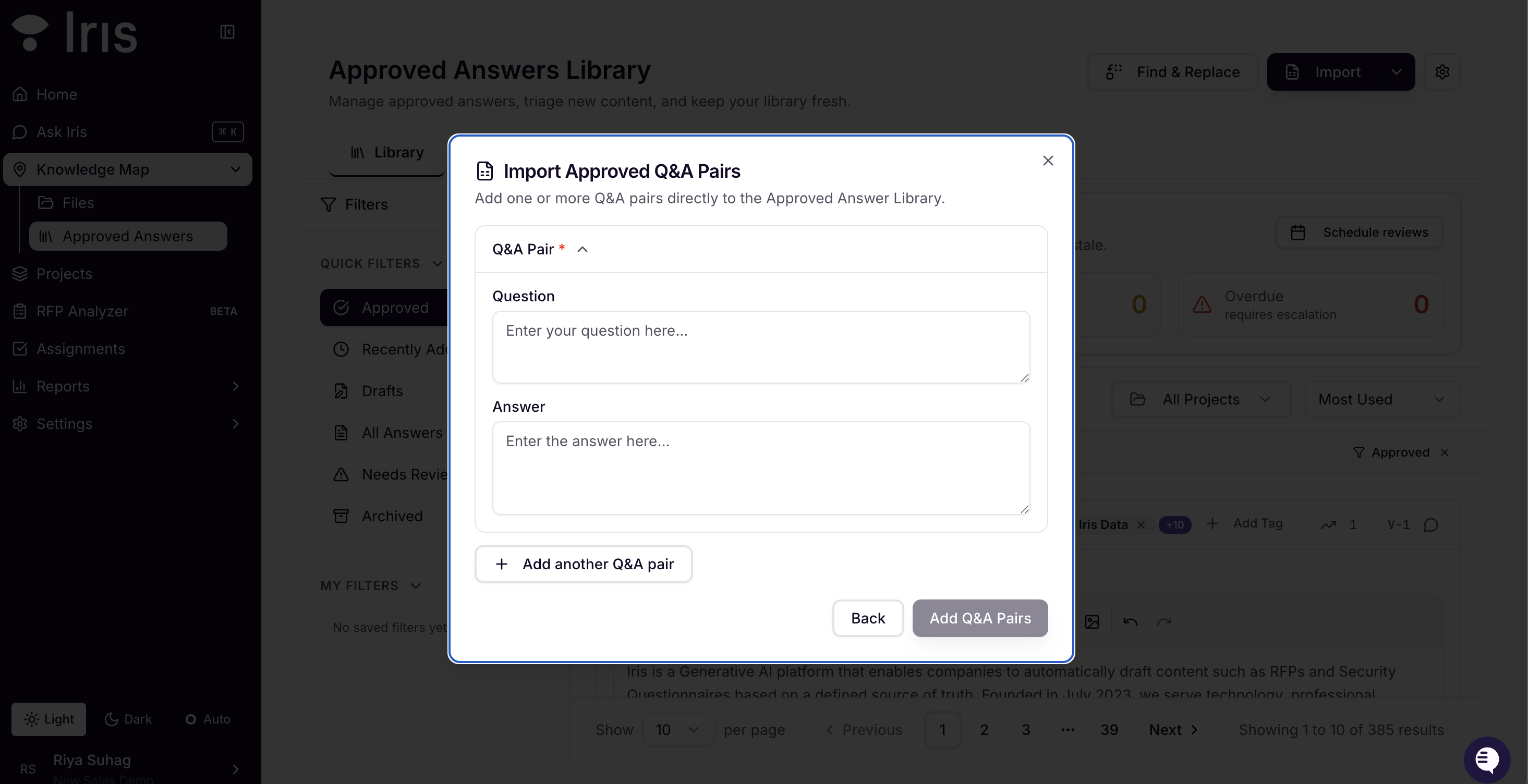
The old flow: draft your Q&A pairs in a document → format it → upload it → import it. That's a lot of steps for content you already have in your head.
Quick Add to Approved Answer Library lets you type Q&A pairs directly in the import flow. No file needed. If you know the answer, you can add it in about 30 seconds by hitting Import → Next → Add Q&A Pairs Manually.
What else is new
Review Cadences have a start date. Set exactly when your first review cycle kicks off — no more guessing when the schedule will start.
Filter for commented questions. New filter in project review view surfaces only questions that have comments on them. Much faster when you're doing targeted review.
Live character count in the KB editor. When editing content in the Knowledge Map dialog, you'll now see a live character count so you know when you're approaching the 2,000-character limit.
Larger file attachments. Files over 10MB can now be attached directly to project questions.
Knowledge Map citations are permission-aware. "View File" on citations is now hidden for users who don't have Knowledge Map access.
Reporting got more useful. The Workflow Tracker now shows per-assignee data with deadline tracking and review velocity. Win/Loss reports support date range filtering.
Bug fixes
Three Word export issues are now resolved: paragraph spacing is preserved correctly on
.docxexport, exported files now use the actual project name (notProject_with_answers.docx), and links in answers are no longer stripped during export.Two smaller UI fixes: the upload modal loading overlay now covers the full modal height, and the Add Instruction textarea resize is constrained within the modal boundaries.
Questions? Reach us at support@heyiris.ai or message your CSM